
Simulation Rules
Simulation Rules are the “tool” to highlight to the System, contemporary to an automatic processing (SIMULATION), the possible available order types to include in the processing and the corresponding priority to assign in defining the daily scheduling.
A simulation rule may be defined by:
-
one WO Priority Rule;
-
one or many WO Inclusion Filters. If a wide range of WO Filters is available for including the activities in the list of WO pending scheduling, a specific WO shall only comply with at least one filter to be included in the scheduling;
-
one or many WO Inclusion Filters in order to define a specific set of activities to be assigned to Formations (dynamic teams);
-
one or many WO Inclusion Filters or WO Exclusion Filters during 'on call' availability.
MAIN MENU → CONFIGURATION → SCHEDULING OPTIMIZATION → SIMULATION RULES
The System displays the following window:
|
|
|---|
|
Figure - Simulation Rules List |
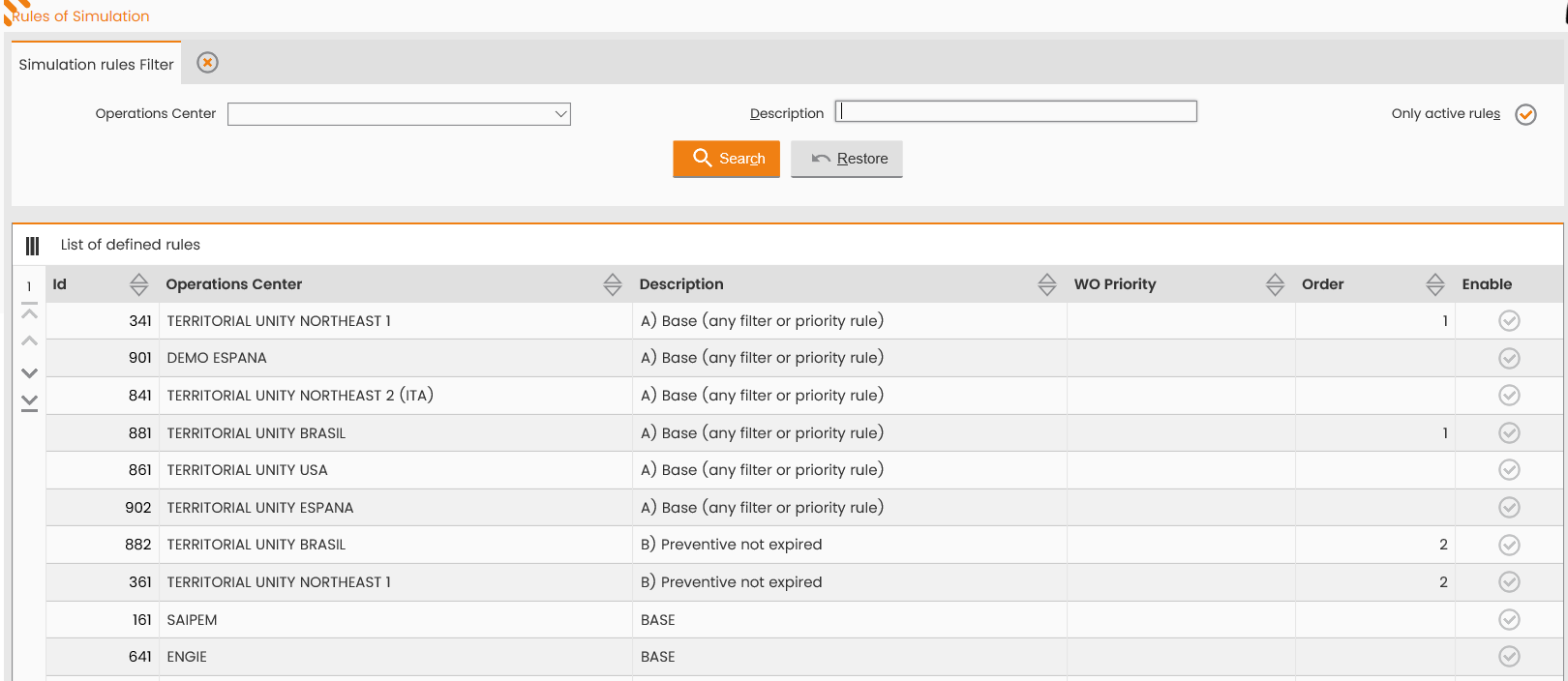
The top section provides the window to search the rules according to the description, reference OC and rule status (active/inactive rule).
The bottom section lists, the rules already defined in the system and possibly searched.
Click the row, corresponding to a given rule in the ‘Set Rules List’ table to access the window for editing the record (figure below):
|
|
|---|
|
Figure - Editing of a Simulation rule |
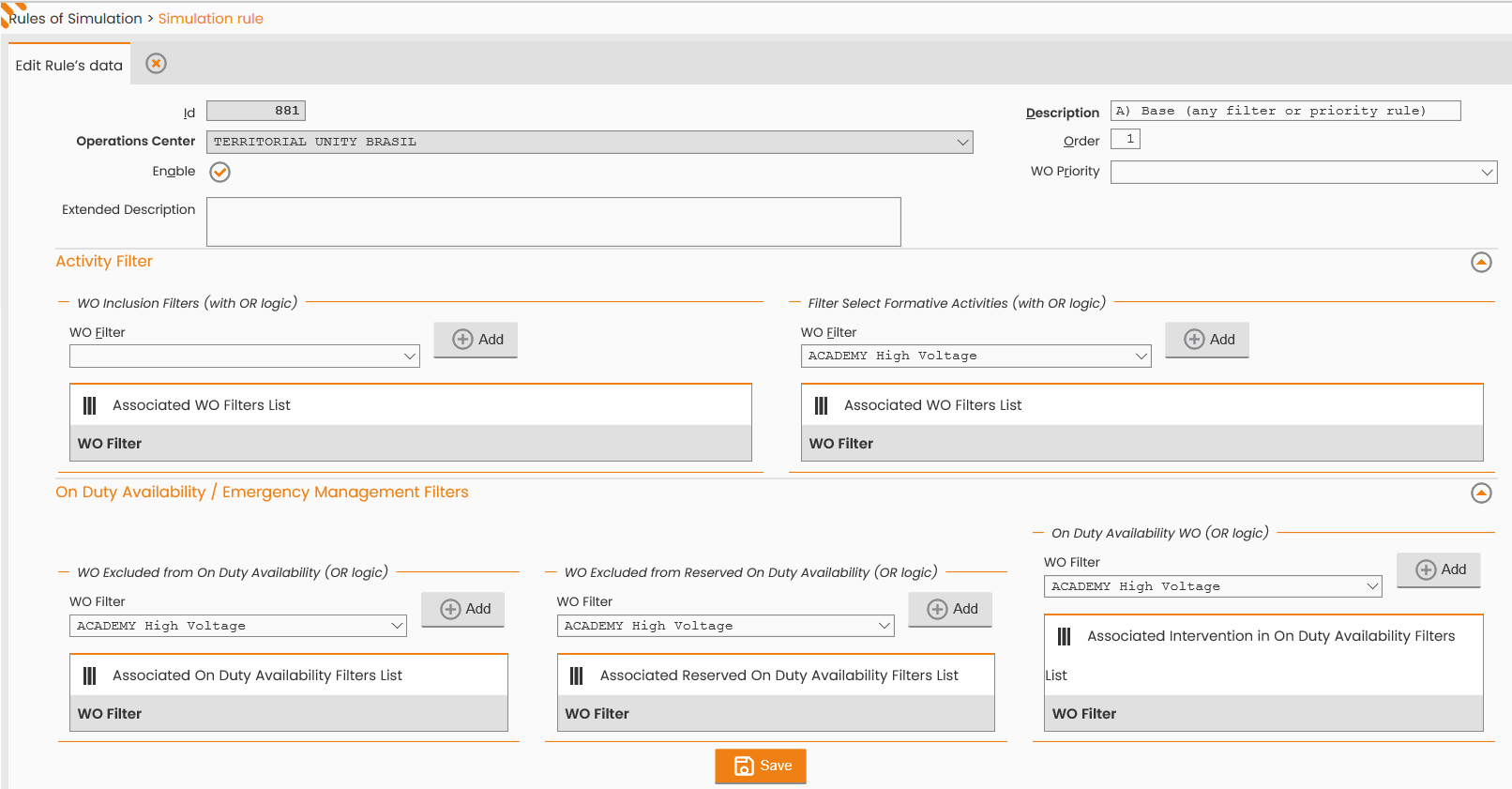
The window allows the following actions:
-
editing the Simulation Rule Description or Organization values;
-
editing the rule display mode (‘Active’ flag);
-
deletion or addition of a WO Priority Rule;
-
deletion a WO Inclusion Filter and/or of WO inclusion Filters (for Formations), by clicking the 'REMOVE WO FILTER FROM RULE’ button, provided by the specific record in the ‘Associated WO Filters List’ table;
-
addition of a WO Inclusion Filter and/or of WO inclusion Filters (for Formations), by selecting it in the specific field and clicking the 'ADD’ button. The record entered is now displayed in the ‘Associated WO Filters List’ table.
-
deletion of one WO Inclusion Filters or WO Esclusion Filters during 'on call' availability.
-
addition of one WO Inclusion Filters or WO Esclusion Filters during 'on call' availability.(by considering working shift + on call availability or only on call availability)
To confirm the editing, made to the specific Simulation Rule, click the 'SAVE’ button; to close the window, click the 'CLOSE' button in the Operations sub-menu.
The Operations sub-menu provides the 'NEW RULE' function for setting a new Simulation Rule:
|
|
|---|
|
Figure - New Simulation rule |
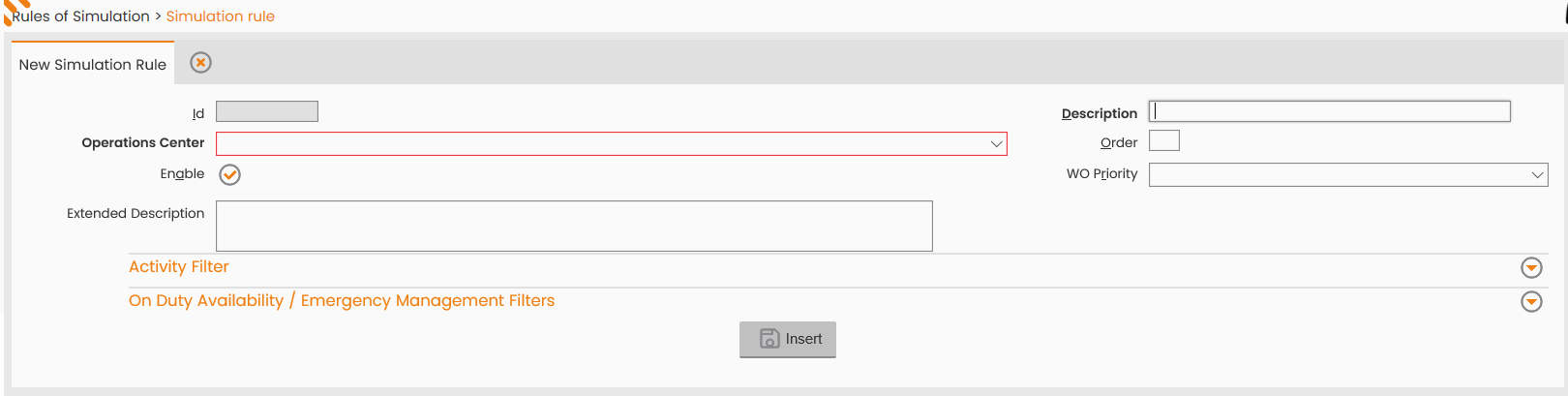
The window consists of the main section for entering the OC, a description of the simulation rule and priority and of the secondary section for associating the simulation rule, being created with WO filters, as to simulate the scheduling only for those orders complying with the filter and to enter filters referring to activities for Formations. If no filter is defined, all the work orders are selected.
To confirm the insertion of the new Simulation Rule, click the 'INSERT' button; to close the window, click the 'CLOSE' button provided in the Operations sub-menu.