
Scheduling Log
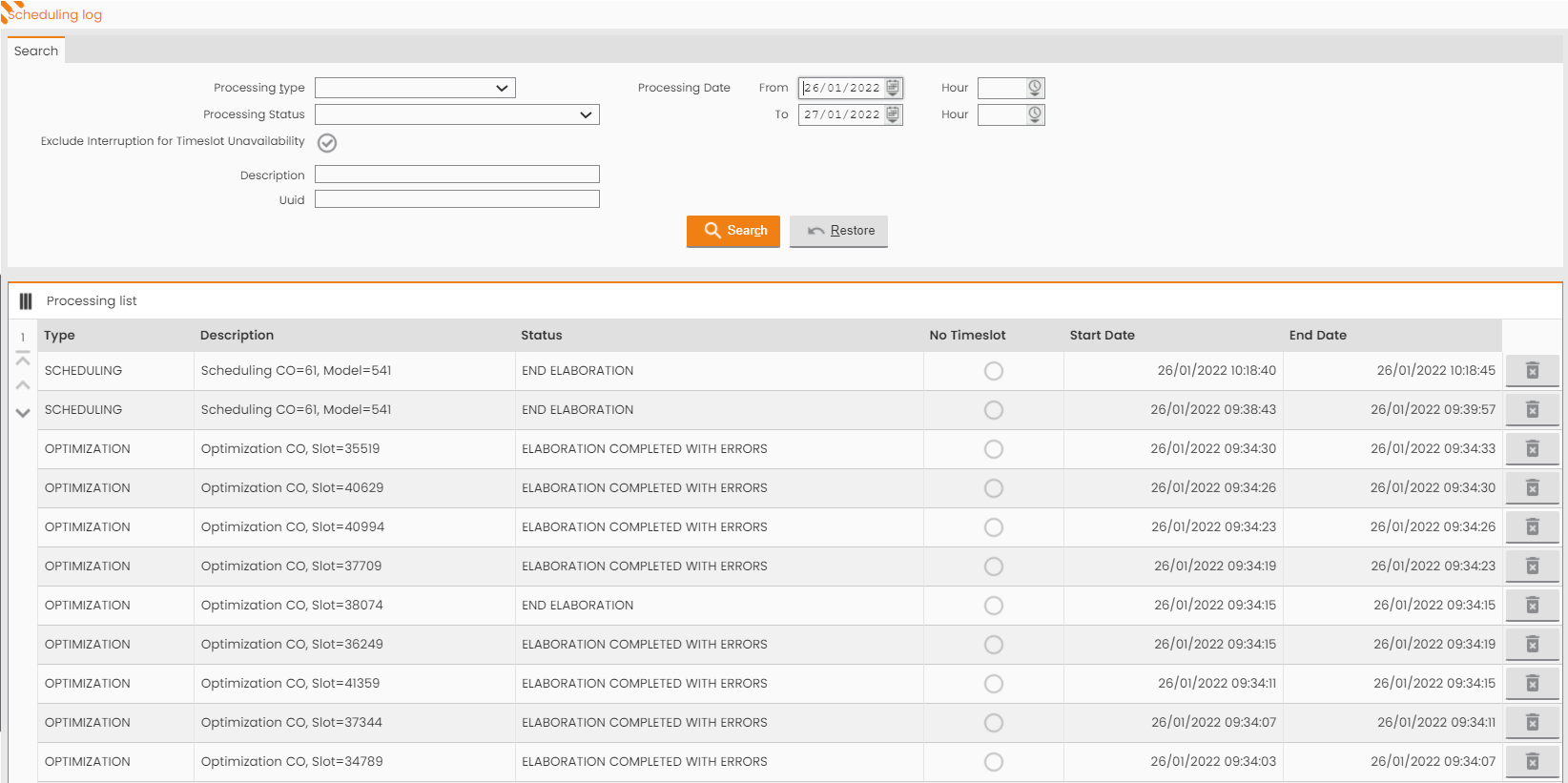
This section allows to view the Scheduling LOGS resulting from the processing of the different Scheduling Models.
MAIN MENU → FEATURES → SCHEDULING OPTIMIZATION → AUTOMATIC SCHEDULING → SCHEDULING LOG
|
|---|
|
Figure - Scheduling Log List |
The top section provides the tab for searching Logs through a set of available fields:
-
Processing Type: Scheduling (Virtual Plan processing), Optimization (Daily Plan processing), Re-calibration/Update (Real time processing);
-
Processing Status: Start Processing, End Processing, Processing Completed with errors, Processing Interrupted;
-
Processing Dates: Start and End Processing Dates;
-
Exclude interruption for time slot unavailability;
-
Description.
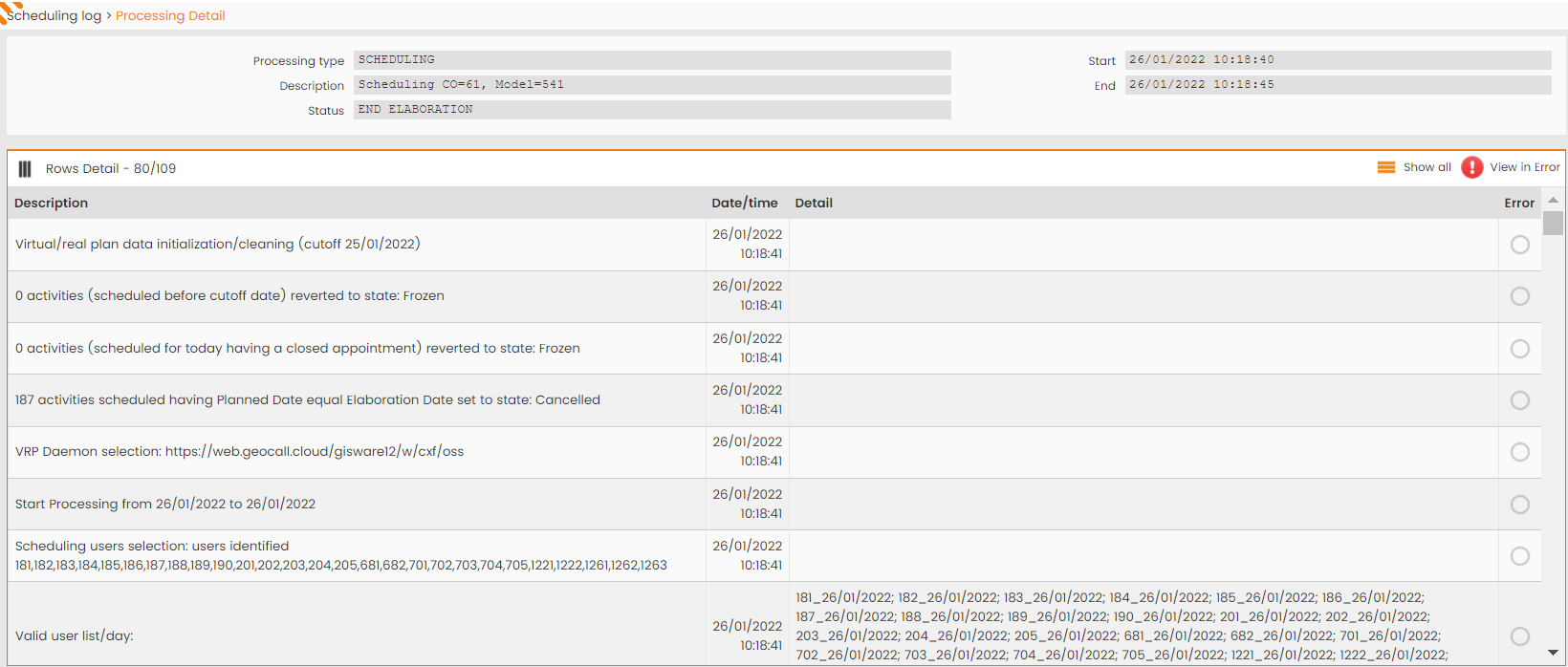
The bottom section reports the list of the generated Logs. Click any rows in the ‘Processing List’ table to view its details. The accessed window is:
|
|---|
|
Figure - Processing Details |
All the steps performed during the VRP processing are explained in the VRP Scheduling Process chapter.