
Activity Rules
Cancellation rules
MAIN MENU → CONFIGURATION → CORE → WORK ORDER MANAGEMENT → ACTIVITY RULES → CANCELLATION RULES
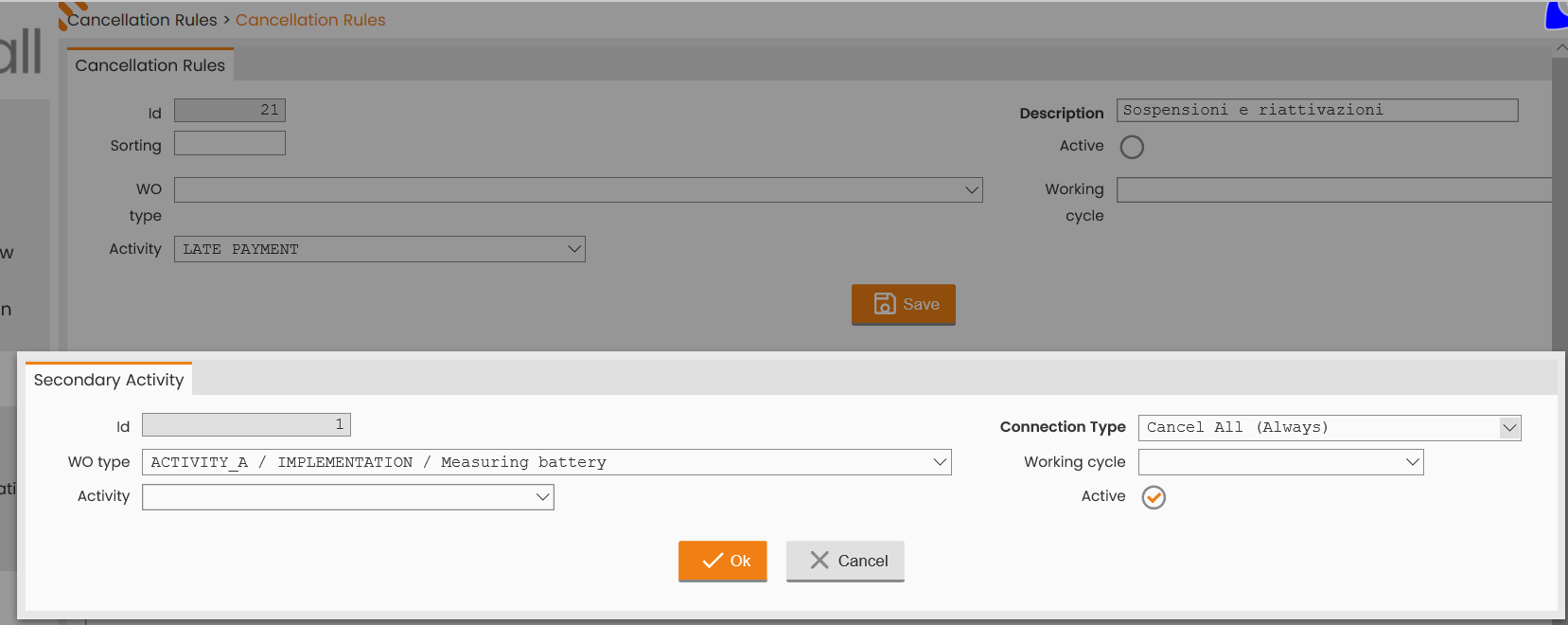
Next-Gen FSM Platform allows to connect two types of work orders (a primary work order and ‘n’ secondary ones) and to cancel them according to the configuration of specific rules.
|
|---|
|
Figure - Cancellation Rules |
According to the Connection Type defined for each secondary activity, the system may be configured as follows:
-
If the Connection Type set is ‘Cancel All’, when the primary order is created, both the primary and secondary orders will be canceled.
-
If the Connection Type set is ‘Cancel All (only if overlying)’, when the secondary order is created, the primary and secondary orders that are closest in time will be canceled (the last primary order, only).
-
If the Connection Type set is ‘Cancel Employed (Always)’, when the secondary order is created, the related primary order will be canceled.
-
If the Connection Type set is ‘Cancel Employed (only if overlying)’, when the secondary order is created, the related primary order that is closest in time will be canceled (the last primary order, only).
If the primary work order is closed with X causal, the related secondary order is also canceled. For example, suspended service for nonpayment and reactivation.
On mobile component, aggregate orders are viewed separately and their final debriefing takes place separately.
Blocking Rules
MAIN MENU → CONFIGURATION → CORE → WORK ORDER MANAGEMENT → ACTIVITY RULES → BLOCKING RULES
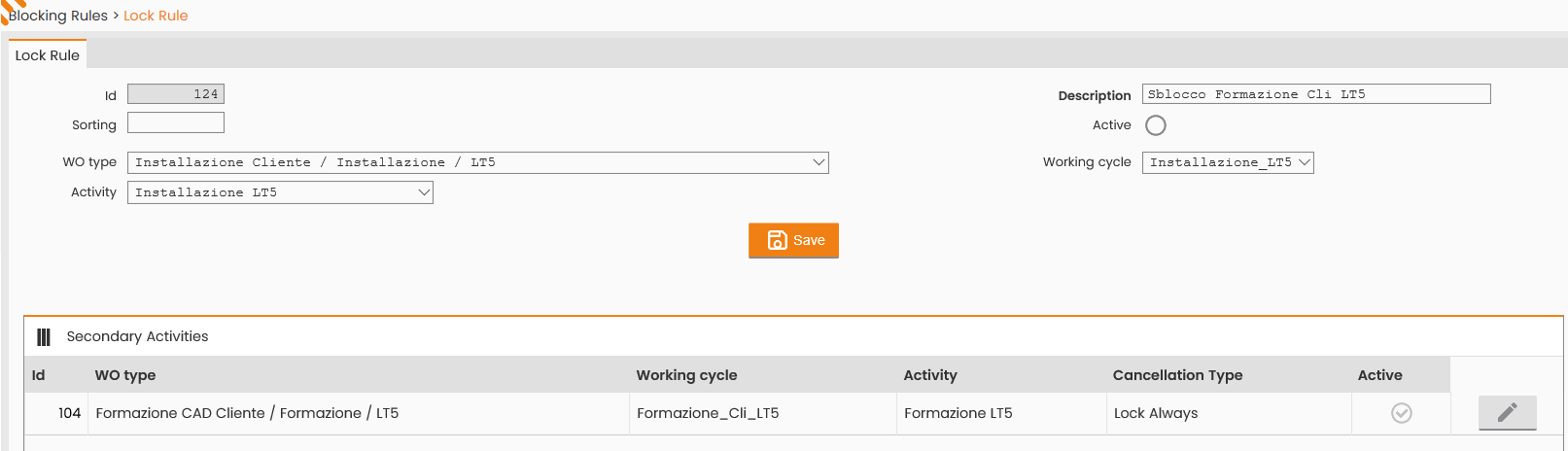
Next-Gen FSM Platform allows to connect two types of work orders (a primary work order and ‘n’ secondary ones) and to block the secondary work order upon validation of the primary one.
|
|---|
|
Figure - Blocking Rules header |
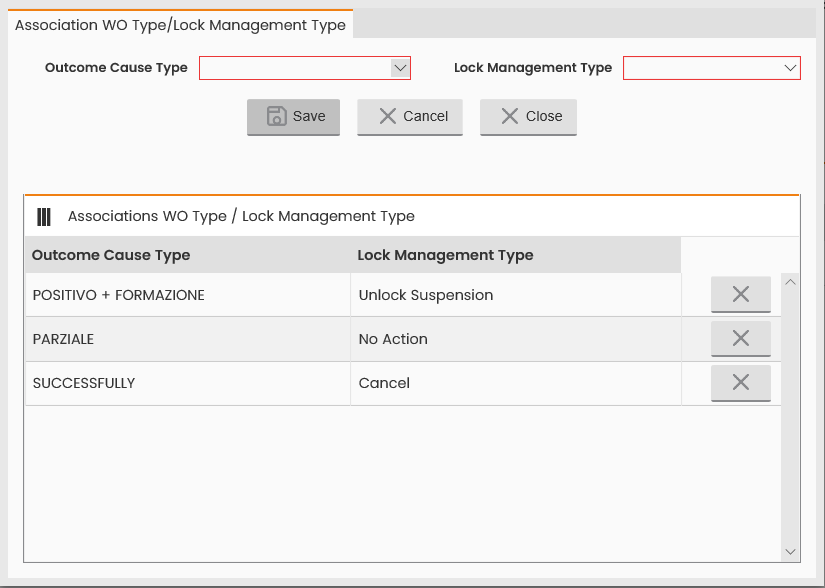
Moreover, when debriefing the primary order (whether successfully or not), the secondary order may be unlocked, canceled, or left as it is.
|
|---|
|
Figure - WO Type outcome / Lock Management Type Association |
The Outcome Cause Type master data may be configured at the following system path: MAIN MENU → CONFIGURATION → CORE → WORK ORDER MANAGEMENT → ACCOUNTING → OUTCOME CAUSES TYPE
Concurrent Scheduling Rules
MAIN MENU → CONFIGURATION → CORE → WORK ORDER MANAGEMENT → ACTIVITY RULES → CONCURRENT SCHEDULING RULE
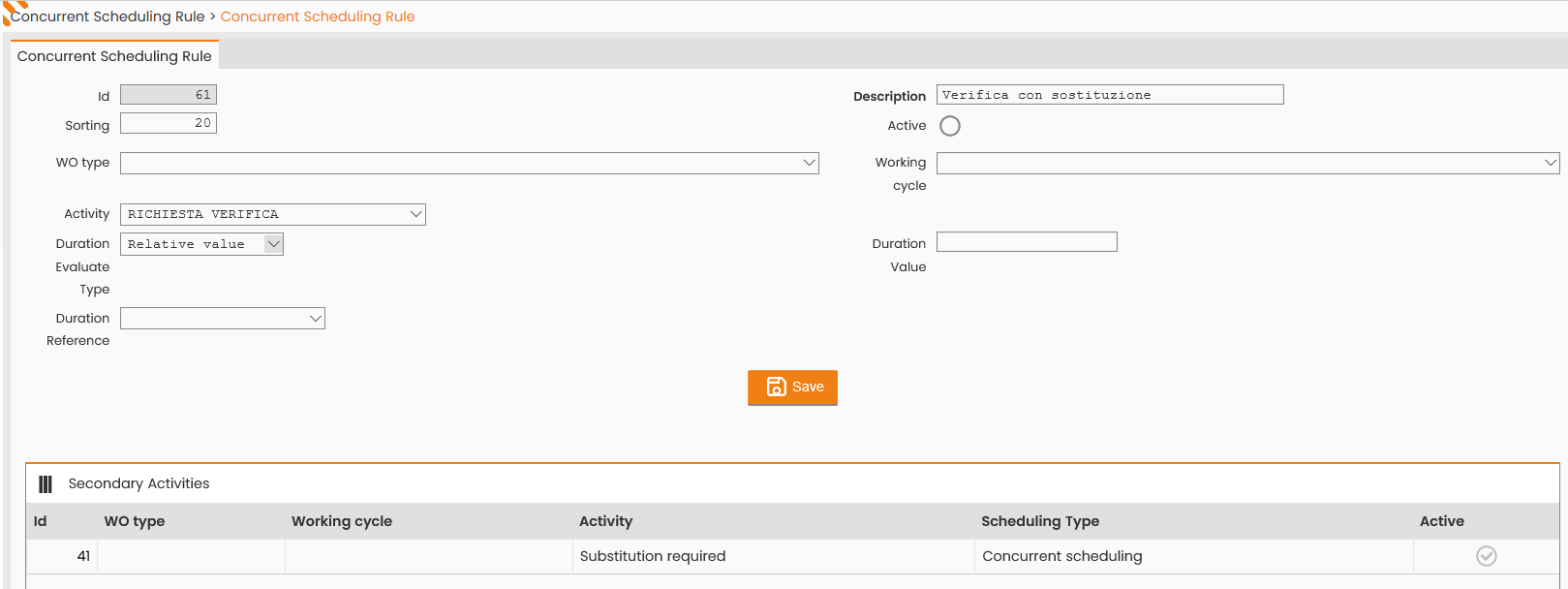
Next-Gen FSM Platform provides for the combined scheduling of two types of the work order (primary and secondary) defined in the rule.
A primary work order and ‘n’ secondary work orders may be defined.
|
|---|
|
Figure - Concurrent Scheduling Rule |
According to the configuration set, the system creates a macro work order of the same type as the primary order, and duration defined on the base of the Duration Evaluation Type field:
-
If the Duration Evaluation Type field value is ‘Sum’, the duration of the macro order will consist in the sum of all the work orders in it;
-
If the Duration Evaluation Type field value is ‘Max Valued’, the duration of the macro order will consist in the maximum duration value among all the work orders in it;
-
If the Duration Evaluation Type field value is ‘Relative Value Percentage’, the Duration Value and Duration Reference fields shall be set as well. The Duration Value field indicates the duration percentage related to the type of order reported in the Duration Reference field.
-
If the Duration Evaluation Type field value is ‘Relative Value’, the Duration Value and Duration Reference fields shall be set as well. The Duration Value field provides the factor to multiply by the duration related to the type of order reported in the Duration Reference field.
Concurrent scheduling rules apply to both manual and automatic scheduling. The aggregation mode is automatic in the scheduling phase of an order type among those indicated in the rule.
On mobile component, aggregate orders are viewed separately and their final debriefing takes place separately.
Compatibility Rules
MAIN MENU → CONFIGURATION → CORE → WORK ORDER MANAGEMENT → ACTIVITY RULES → COMPATIBILITY RULES
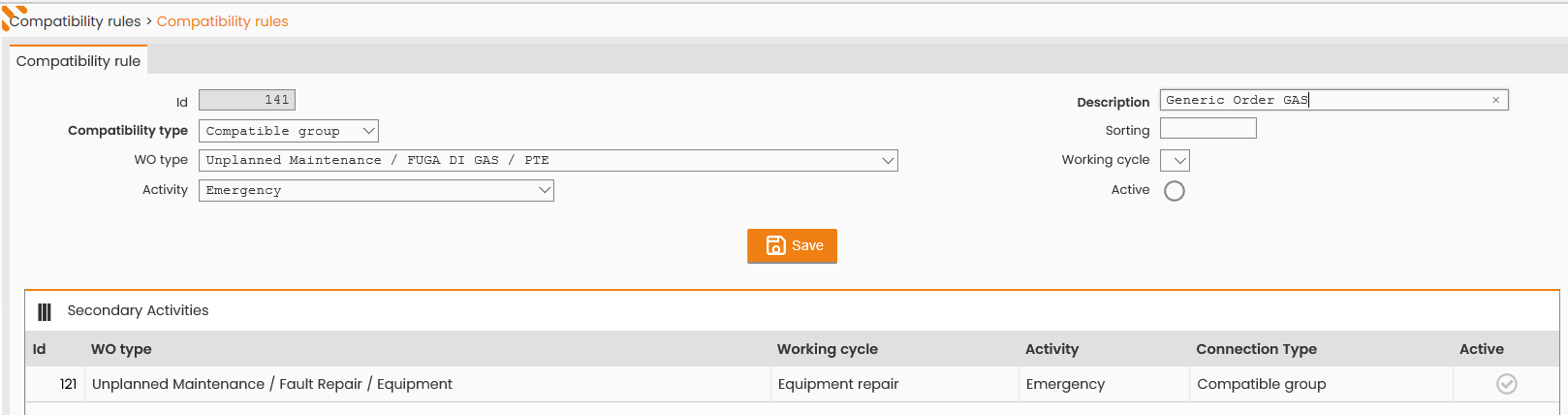
Next-Gen FSM Platform allows to define a group of compatible work orders, that is a primary work order and ‘n’ secondary work orders.
The primary work order may be:
-
Replaced with a secondary work order (relying on Next-Gen FSM Platform Mobile);
-
Added to a set of secondary work orders created on the field.
In the standard scenario, the primary work order may be a generic work order, while the secondary orders, directly created on field, may be specific ones replacing the first, generic order.
|
|---|
|
Figure - Compatibility Rules |