
Name: ui_swipemap
Description: The basemap switcher tool allows you to quickly and easily change the underlying basemap of your map view. This offers several advantages for users working with geographic data:
Icon:

Available in toolbars: maps
See reference: https://overit-spa.atlassian.net/wiki/spaces/NEXTGENGEO/pages/103375340676/Toolbar+management#Pre-defined-toolbars
Example:
As a field service manager of a gas company, I need to analyze a potential leak in the gas pipeline network.
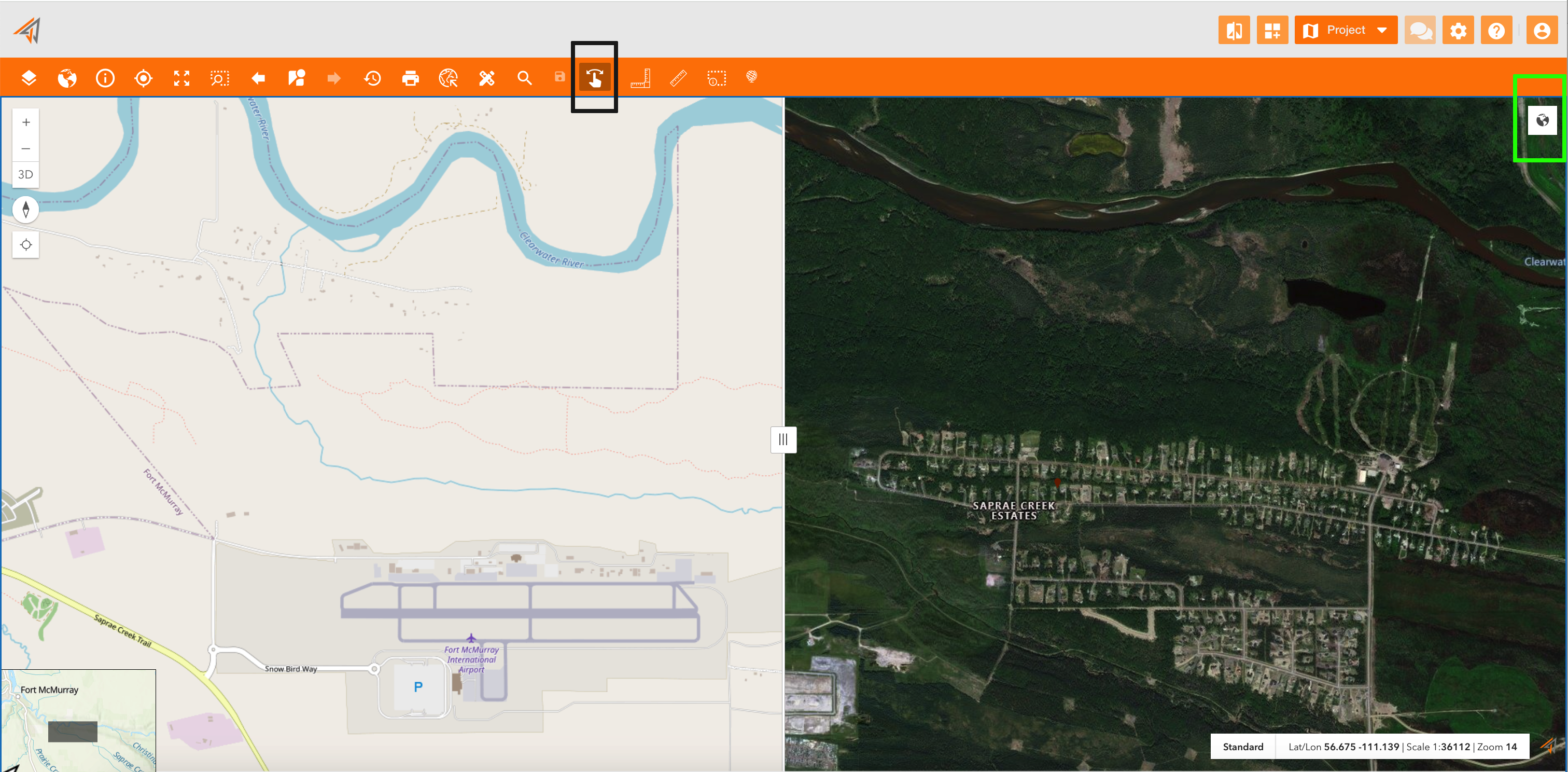
First of all I can use a Street basemap, that shows the road network and other infrastructure. But for a more detailed view, I need a Satellite basemap too, in order to see also buildings in that area and to understand better potential damages.
Clicking on the related icon on the principal map toolbar, the map will be splitted in two section, and on the top-right of the right-section, there is the basemap button, that allows to choose the basemap of the right-section.
|
|
|---|