
An electricity distribution company needs to balance the workload during the business year, in order to plan each operation at the right moment of the year, with the needed capacity.
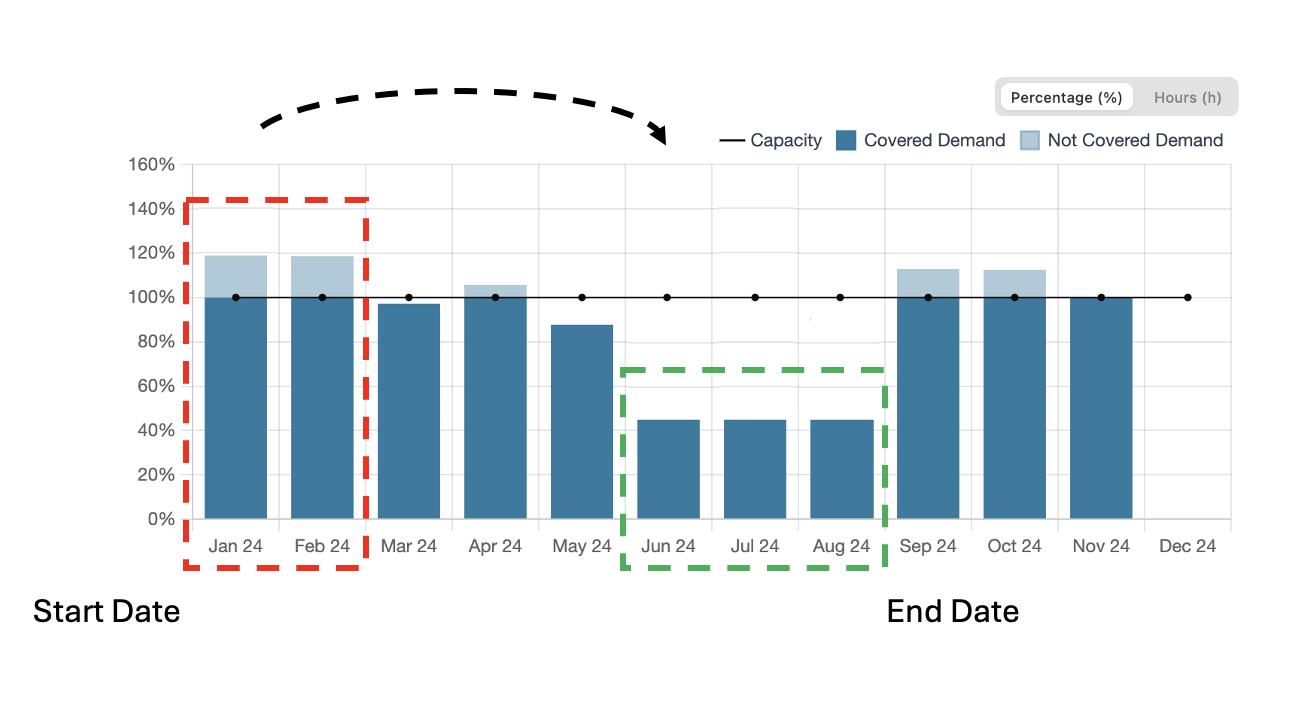
Let’s imagine the planner user needs to schedule maintenance activities for power poles, which are all set in the system with a start date of 01/01/2024 and an end date of 28/02/2024. These installations are located at high altitudes, where access is better during warmer months.
Using the workload analysis feature, he planner user can move execution dates in order to put them only in needed periods.
The image below shows the distribution of execution dates (Start Date - End Date) of “High-Voltage Pole maintenance” activities during the year.
The histogram plot shows the % of Hours of Demand (tasks - grey bar), and the % of Hours of Capacity (workshifts - orange bar).
This kind of “High-Voltage Pole maintenance” activity can’t be executed in cold-months, so the customer needs to reduce the workload in January and February and distribute it better during other months with higher capacity (June, July and August).
|
|---|
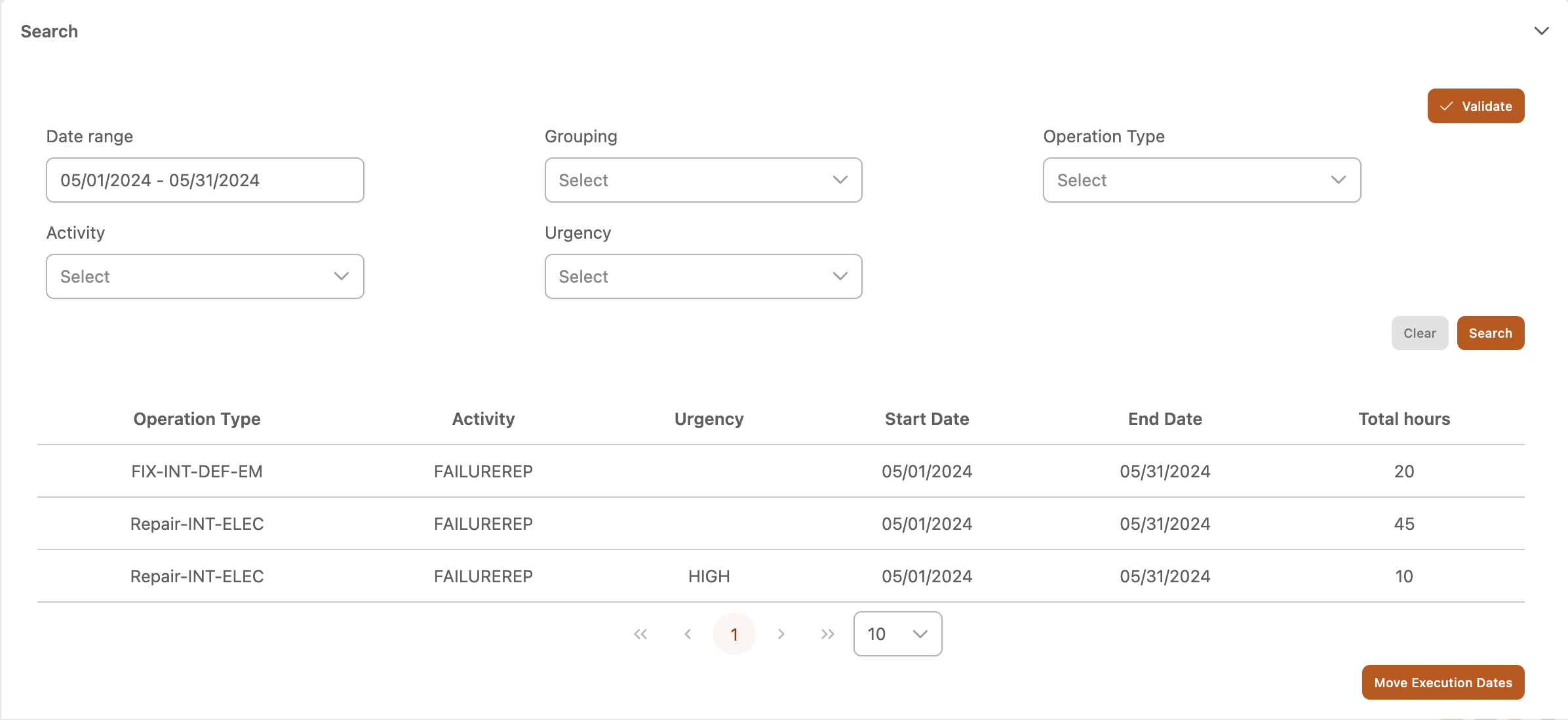
The Workload Analysis feature provides a quickly and dynamic way to move workload. A table view shows the aggregate result of each month for each triplet “Operation Type - Activity - Urgency”. So, filtering by “High-Voltage Pole maintenance”, and grouping by Priority, the user can see the Total Hours for each triplet, and choose how much hours move for each group.
|
|---|
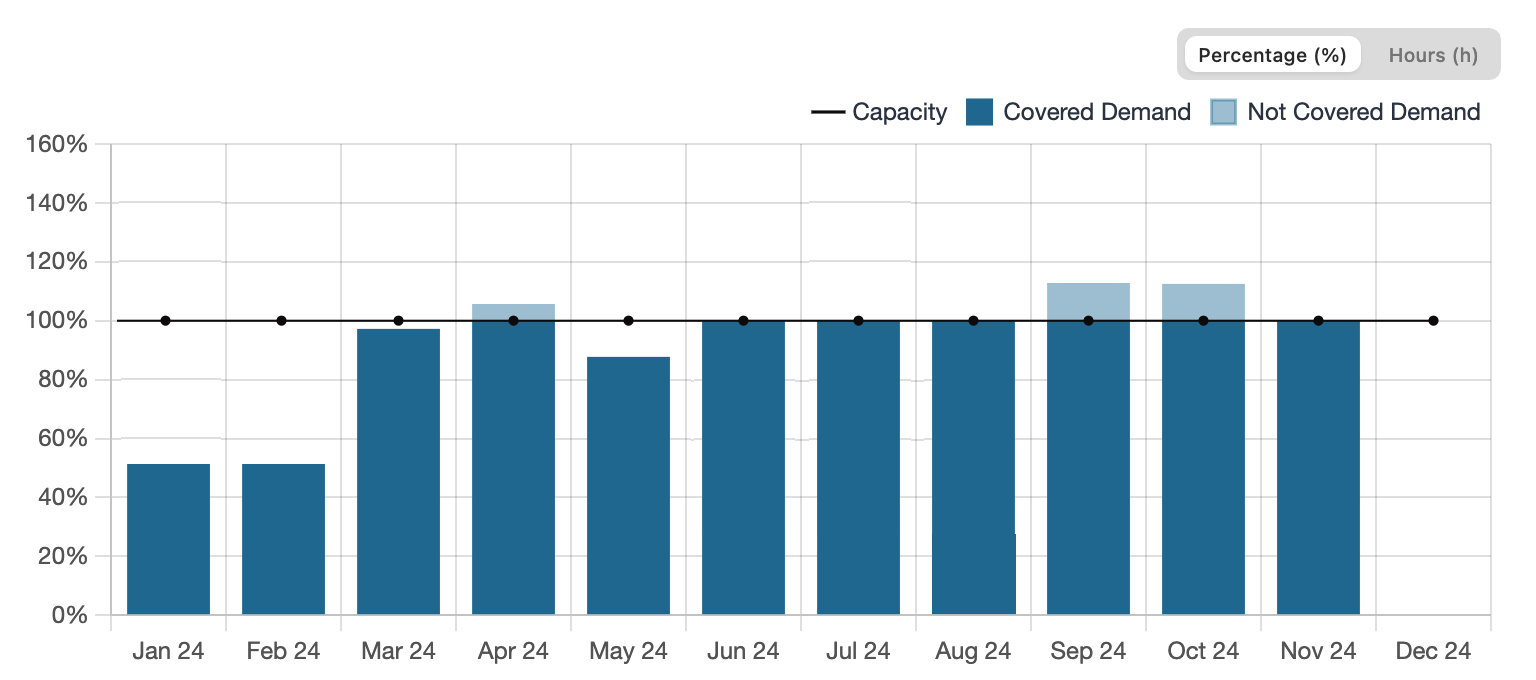
After few steps, the system computes a new report and the user can evaluate if the movement fits with its need or not.
|
|---|