
The workload analysis allows to improve the workload balancing during a selected period, based on the capacity availability.
It is only based on real-data (work-shifts and work order operations), allowing to change execution’s period manually or automatically.
Before you start
Import work order operations in a workload analysis
-
In the FSM App, navigate to FEATURES → FORECASTING & CAPACITY PLANNING → WORKLOAD ANALYSIS
-
Use the filter panel to search for existing records
-
Click the check button of a Workload Analysis “Draft” and go on “Import activities” option
The import activities option allows to import an activity starting from work orders already present in the system.
Clicking on it, a new page will be opened with a panel’s filters allowing to filter WO by operation type, activity, start date, end date, status and other main fields.
Preview of the import
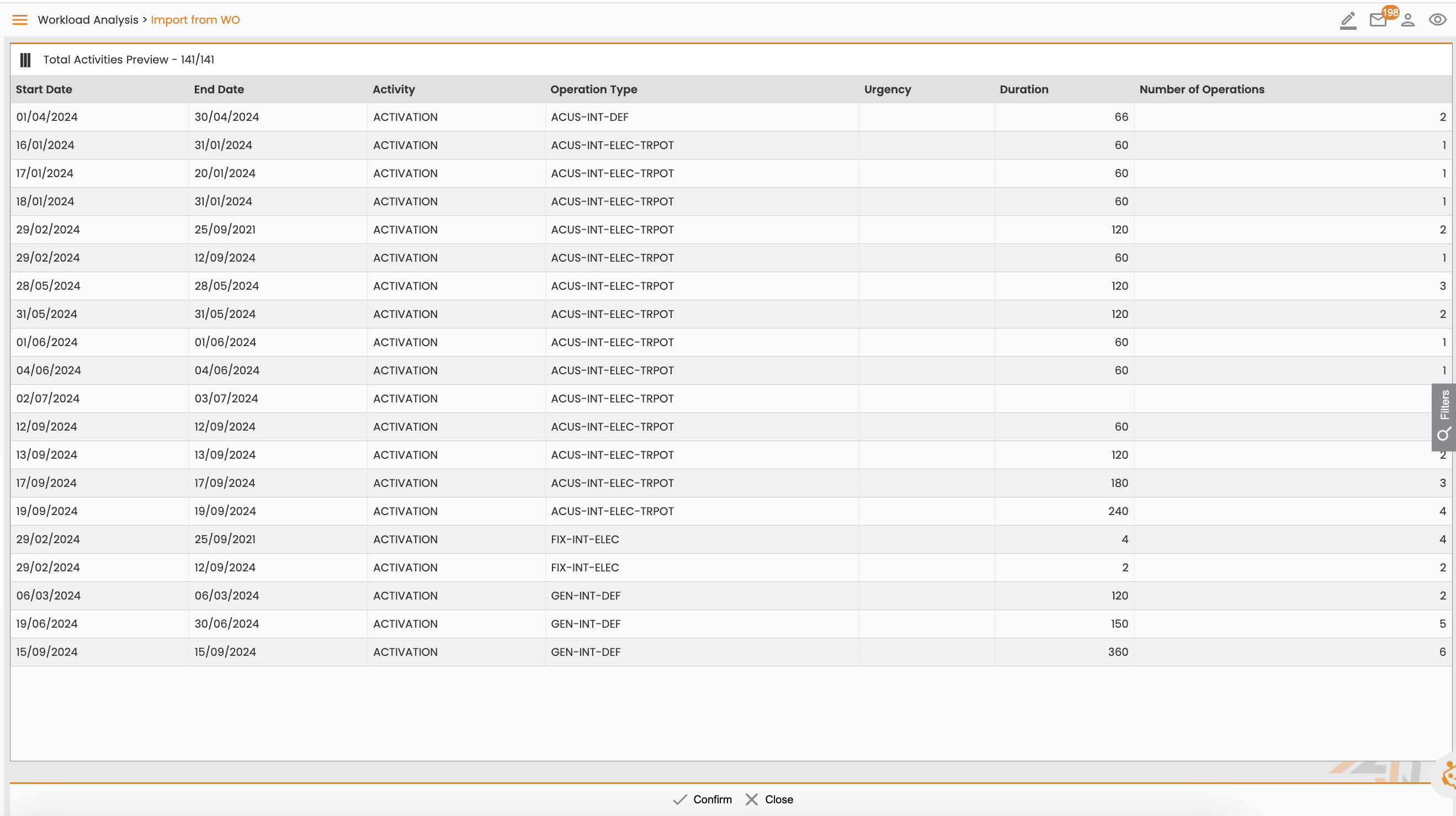
Once the user completes the import, the system generates a preview containing the workload that will be used in the analysis.
The user can choose to modify it, going again on filters panel and changing them, or confirm it clicking the “Confirm” button at the bottom of the page.
Currently, the import activities operation can be executed in many steps, the activities will be always added.
|
|
|---|