
This reference provides a breakdown of the user interface components, tooltips, and data tabs introduced by the Job Bundler module within the Daily Plan. Understanding these interface elements enables dispatchers to quickly access bundle details, evaluate routing metrics, and manage aggregated work packages directly from the scheduling board.
These elements are visible within the Daily Plan and Multi-day Plan modules of the Platform when managing Work Order (WO) Bundles.
Scheduled Bundle Tooltip
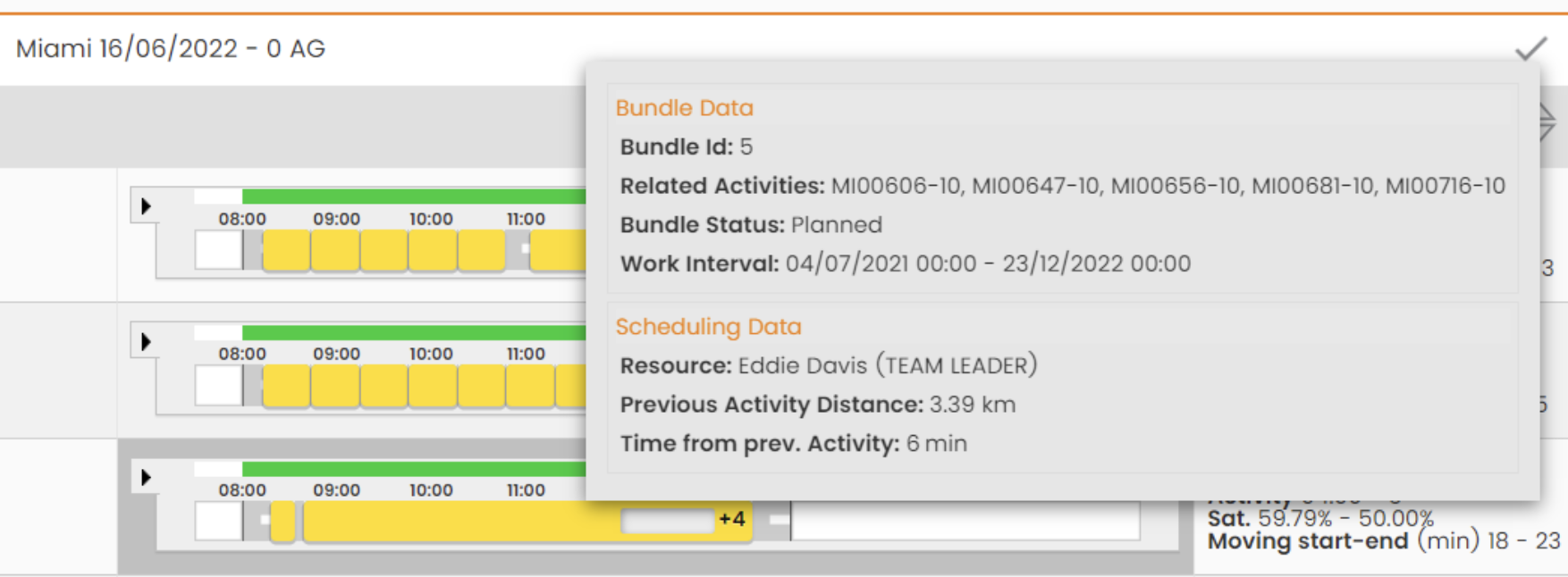
Hovering your cursor over a scheduled bundle block displays a tooltip containing the following calculated data:
|
Category |
Field |
Description |
|
Bundle Data |
Bundle Id & Name |
The system ID and descriptive name of the bundle. |
|
|
Related Activities |
The total number of WO operations contained within the bundle. |
|
|
Bundle Status |
The current operational state (e.g., Planned, In Progress). |
|
|
Work Interval |
The scheduled start and end times for the entire bundle. |
|
Scheduling Data |
Resource & Assistants |
The primary technician and any secondary crew members assigned to the bundle. |
|
|
Previous Activity Distance |
The geographical distance from the technician's prior scheduled activity. |
|
|
Time from prev. Activity |
The estimated travel time from the previous activity. |
Access to Bundle detail
Right-clicking a scheduled bundle on the Gantt chart opens a context menu.
-
Clicking on Bundle Detail, the system redirects the user directly to the comprehensive Bundle Detail window for the selected work package. See full guide: Bundle detail
Daily Plan Chart Data Tabs
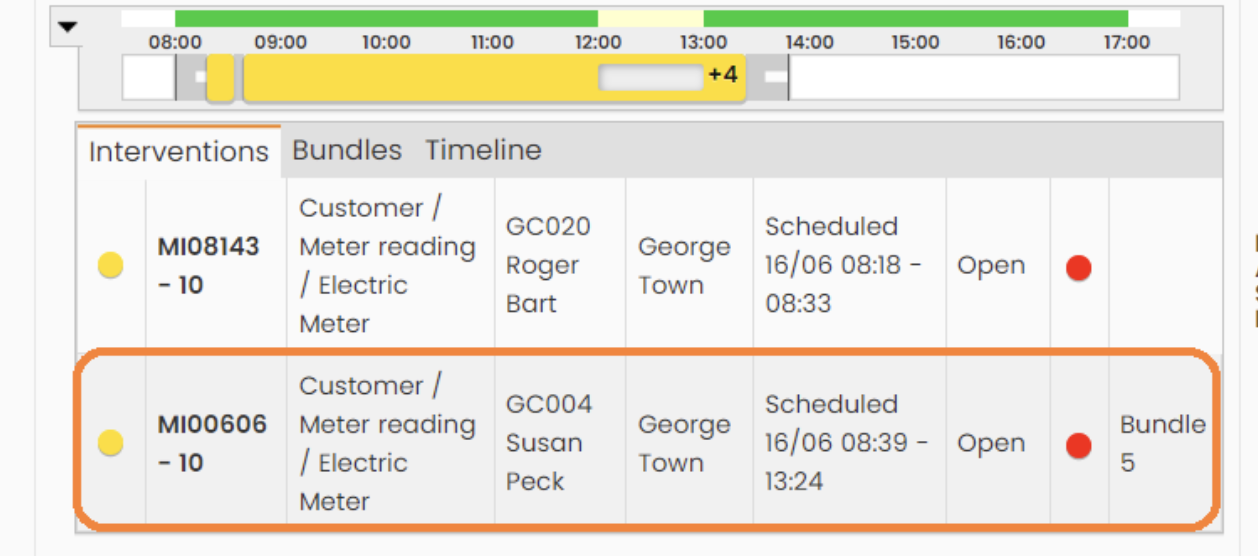
The data tabs located right-clicking on a scheduled bundle:
|
Tab Name |
Visibility & Display Rules |
|
Interventions Tab |
For a scheduled bundle, this tab only displays the first operation of the bundle sequence to prevent visual clutter. The row includes the associated Bundle ID to indicate it is part of an aggregated group. |
|
Bundles Tab |
This dedicated tab lists all individual WO operations belonging to scheduled bundles. Displayed columns include: Bundle ID, WO/Operation Code, WO Type, WO Operation State (planning), WO Operations State (debriefing), and icons representing the validation statuses of the operation. |
Schedulable Bundles Lateral Panel
The lateral panel acts as the staging area for unassigned bundles. It displays the resulting list of bundles ready for dispatch.
See full guide: Search and Manage Schedulable Bundles from Daily Plan
Related Resources