Overview
We added double location information to the view on the Enterprise Activity Management page (Features > Contractor Management).
This update includes the following key changes:
-
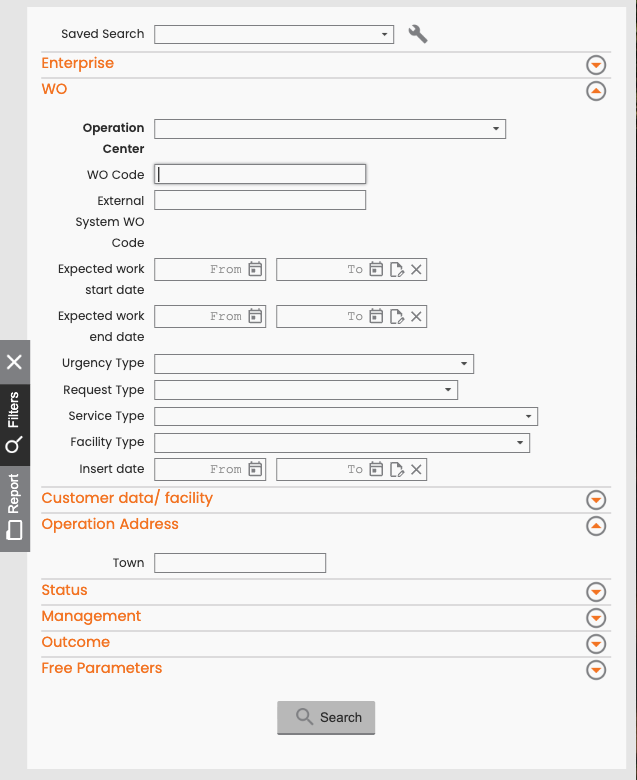
A filter to search for Work Order (WO) Operations based on the activity address (Operation Address).
-
A new column showing the Operation’s Activity Address in the main table and in the Excel file when you export data through this page.
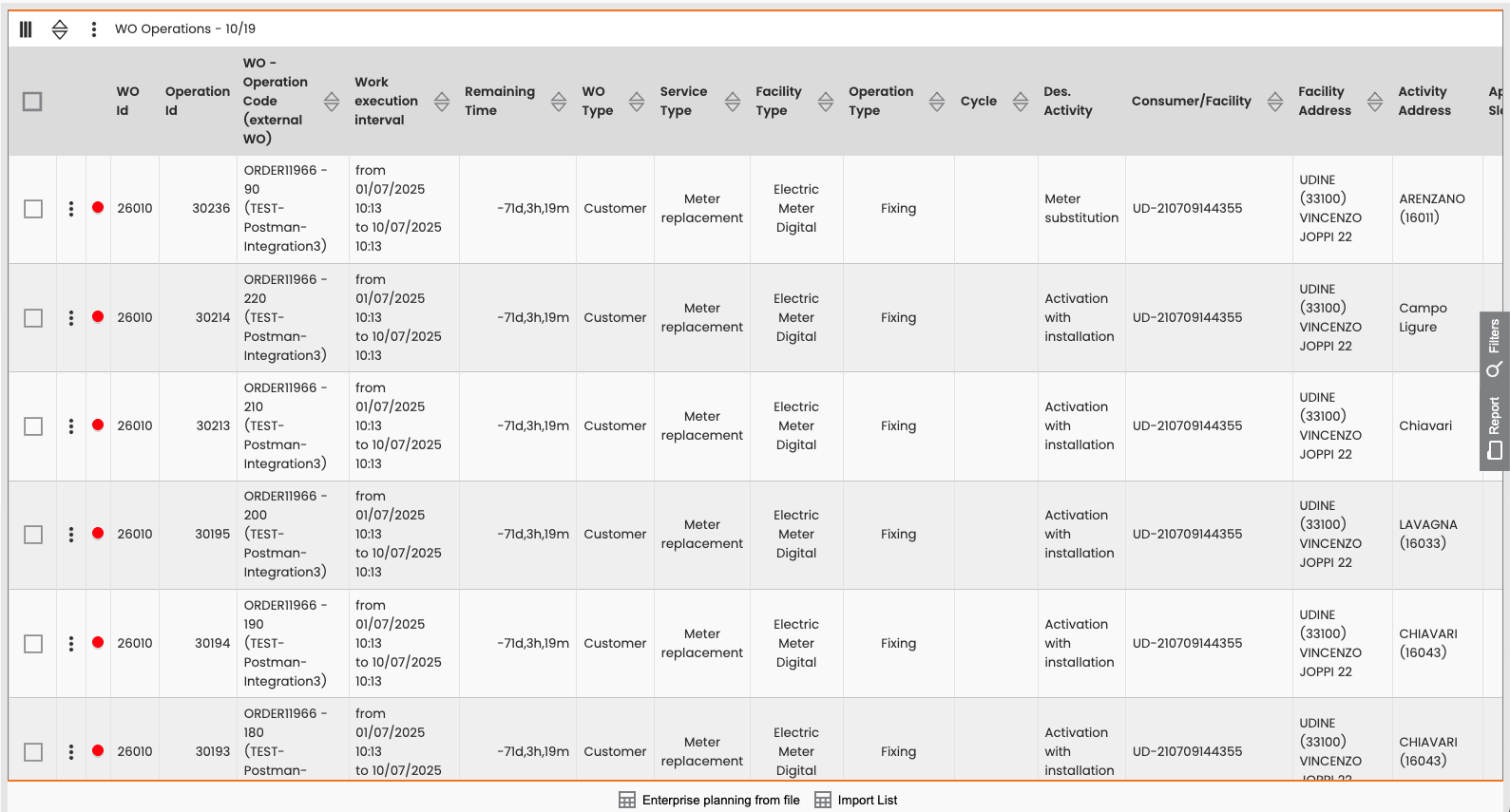
Enterprise Activity Management: Main table view
Search by Activity Address
You can search for Work Orders by filtering on the activity address associated with their operations.
-
Navigate to Features > Contractor Management > Enterprise Activity Management.
-
Within the filter panel, find the section titled Operation Address.
-
Enter a town name.
-
The system retrieves all WO Operations with an activity address that matches the value that you entered.