
In order to make the VRP engine work properly, it's necessary to pre-calculate the Distances Matrix of each geographic point included in the scheduling problem.
The calculation of travel times and distances on the road network is a precondition for any evaluation made by the algorithmic optimization module.
Before making any hypothesis of optimization it is necessary to provide to the VRP algorithm the mutual distances between all points of the problem.
For example, for a problem with one thousand points (eg. nine hundred activities and 1 hundred technicians), it is required the definition of a "distance matrix" composed by one million road distances.
If we consider that the involved resources can use two different types of vehicles (cars and motorcycles), the size will double.
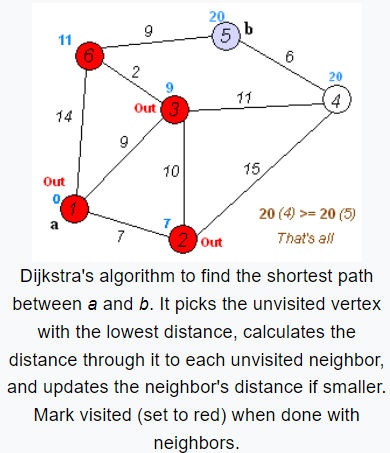
For the matrixes calculation, Geocall VRP uses the Dijkstra's algorithm. An optimal path is obtained as the composition of sub-optimal sequences of this path.
The basic concept is that if we have the optimal path between two points, then each sub-sequence to achieve an intermediate point is optimal.
|
|---|
|
Figure - Djkstra’s algorithm |
The basic configuration of the system requires an average speed value for each road type to be used to calculate the travel time of each road segment.
This is the so-called "static profile" method.
In this case the vehicle "car" uses the same speed for all the city center roads (for example fourty kilometers per hour) and the same speed for all highways indipendently of which road or highway it is driving on (and so the same for the motorbike).
A second method is the so-called "single profile based on HISTORICAL TRAFFIC".
This method is based on the average traveling speed for single road calculated on historical statistical surveys (speed profile).
The providers of road services provide the so-called speed profile.
The Speed Profile is the statistical processing of the historical data of the detected speed (every fifteen / thirty minutes), for each road and each direction.
The value of the average speed is derived from this data for each road during the portion of the day in which the resources basically works.
With this modality we are able to differentiate the speed for each road and for each vehicle.
In the latest releases, the new feature to consider the value of speed at different time intervals during the day has been added: the so-called "multi-profiles".
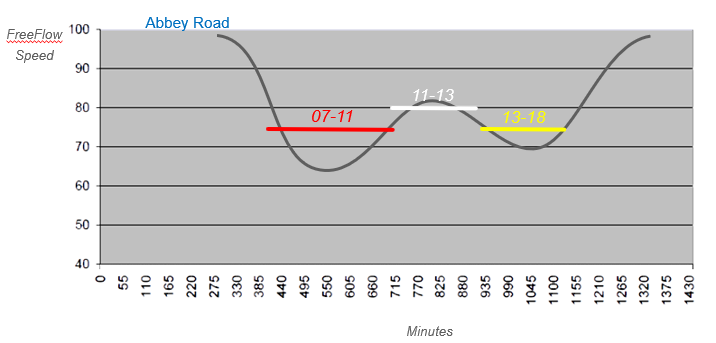
For the creation of the "multi profile", we should compute the average speed for different time intervals in the day.
In the following figure we can see an example of 4 profiles (Blue, White, Yellow, Red), so for each road we have different travelling speeds in the morning (red), in the mid day hours (white) and in the afternnoon (yellow).
The blue speed profile corresponds to the maximum admitted speed for that kind of road and it will be applied for all the travels that starts outside the calculated slots.
|
|---|
|
Figure - Multi Profile |
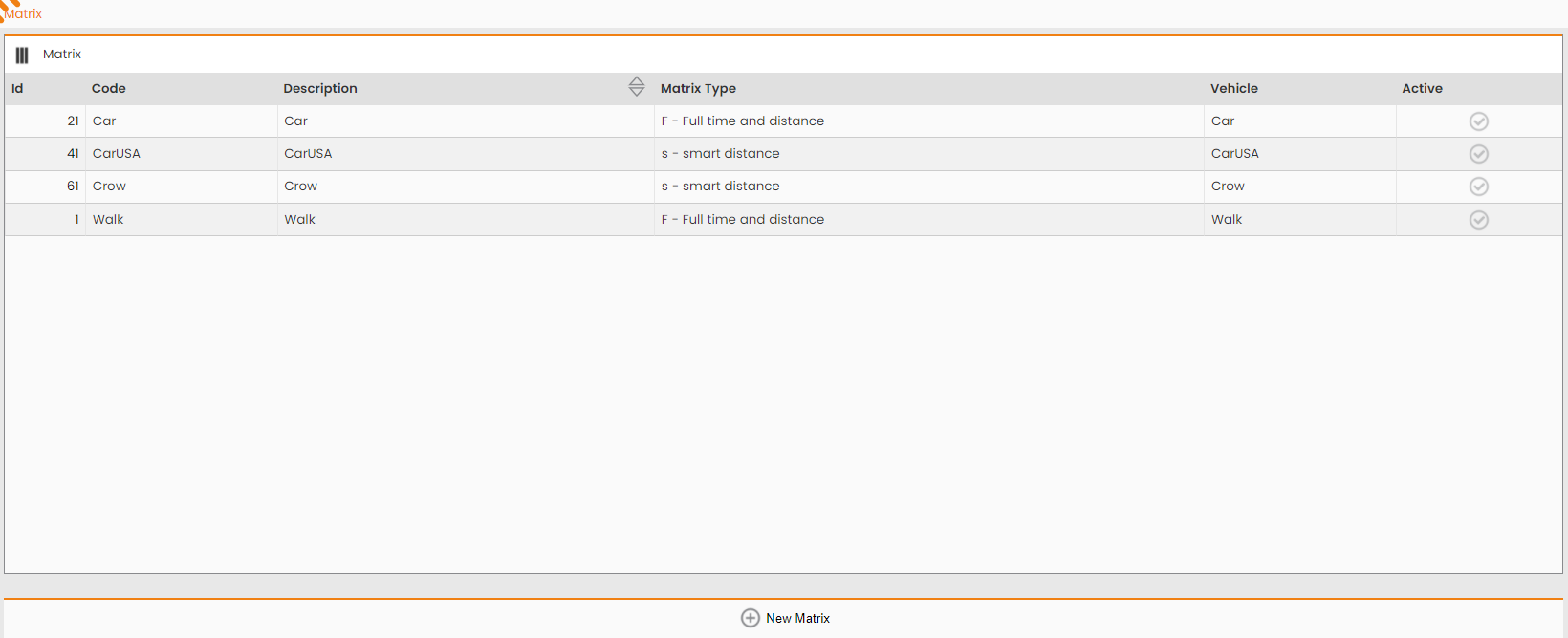
The Matrix used by Scheduling Engine may be configured at the following system path: MAIN MENU → CONFIGURATION → SCHEDULING OPTIMIZATION → MATRIX
By clicking on ‘New Matrix’ button on bottom of the UI, it’s possible to configure the Matrix type and the Vehicle to be used.
Matrix type: defines the type of matrix, determining the type of data to be saved and consequently the related memory occupation. Available values are:
-
F - full stereo: the matrix is composed of an array within which, for each pair of points, both the information relating to the travel times between the two points and those relating to the distance are saved.
-
f - full mono: the matrix is composed of an array within which only the information relating to travel times for each pair of points is saved.
-
S - smart stereo: the matrix is composed of a data structure (on which information relating to travel times and distances is saved) which compresses the data in such a way as to significantly reduce memory occupation.
-
s - smart mono: the matrix is composed of a structure (on which only the information relating to the travel times between the points is saved) which compresses the data in such a way as to significantly reduce memory occupation.
|
|---|
|
Figure - Matrix Configuration |
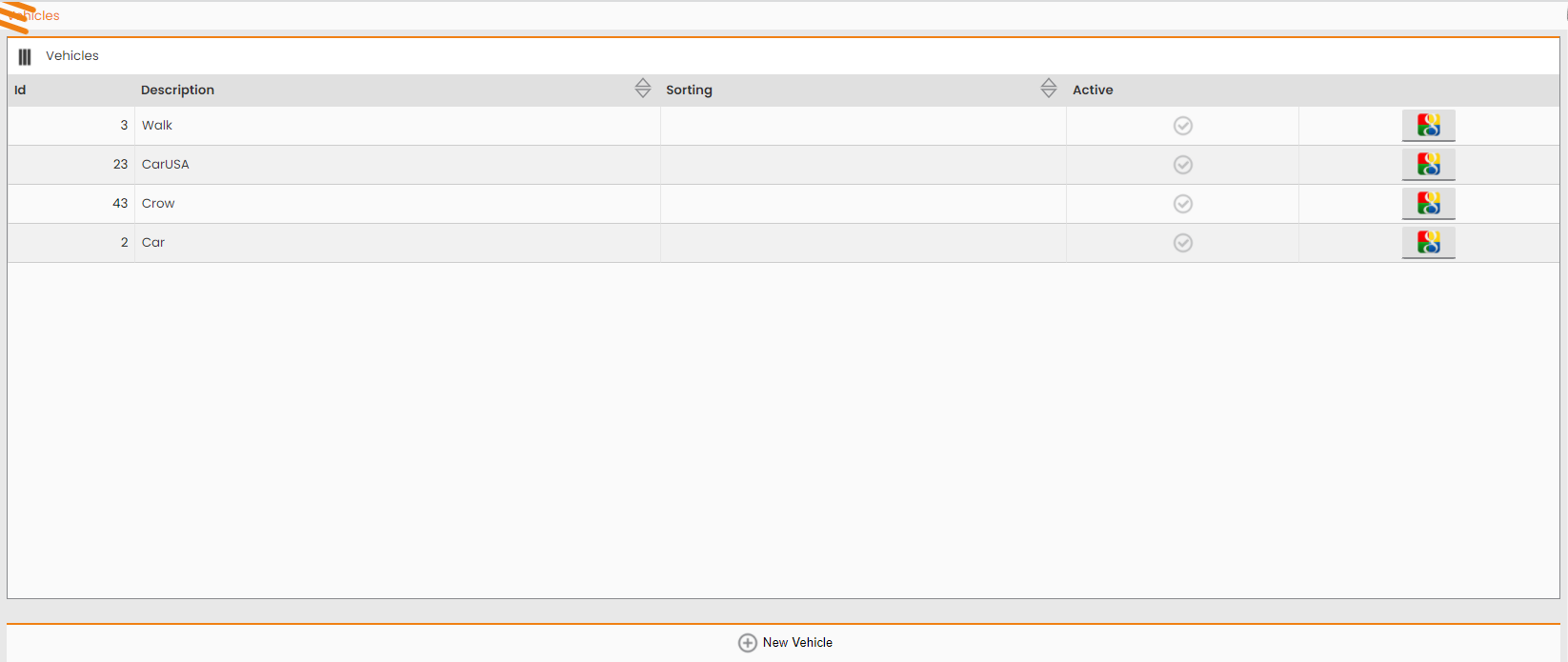
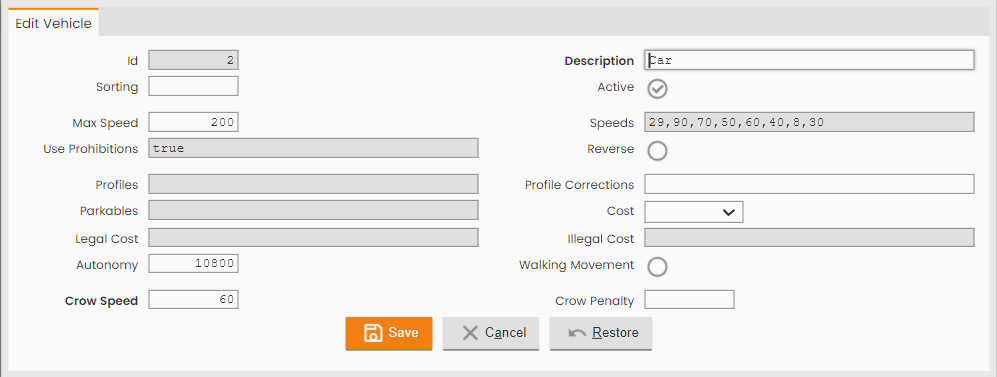
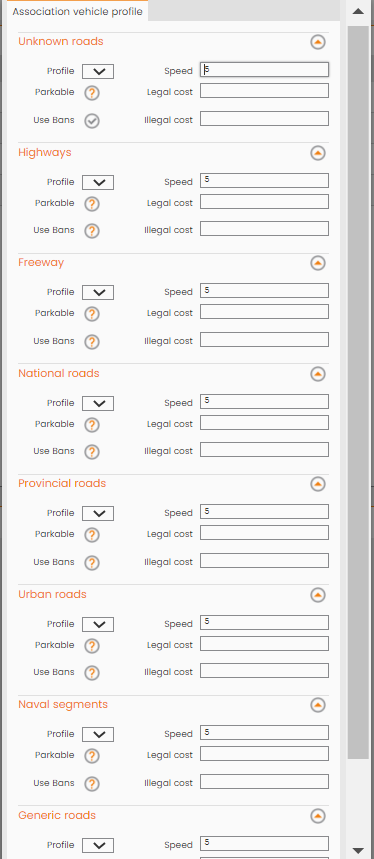
Moreover, for the single vehicle to be used it’s important to set up all its features by the following system path: MAIN MENU → CONFIGURATION → SCHEDULING OPTIMIZATION → VEHICLE
|
|---|
|
Figure - Vehicle Configuration |
|
|---|
|
|---|