Overview
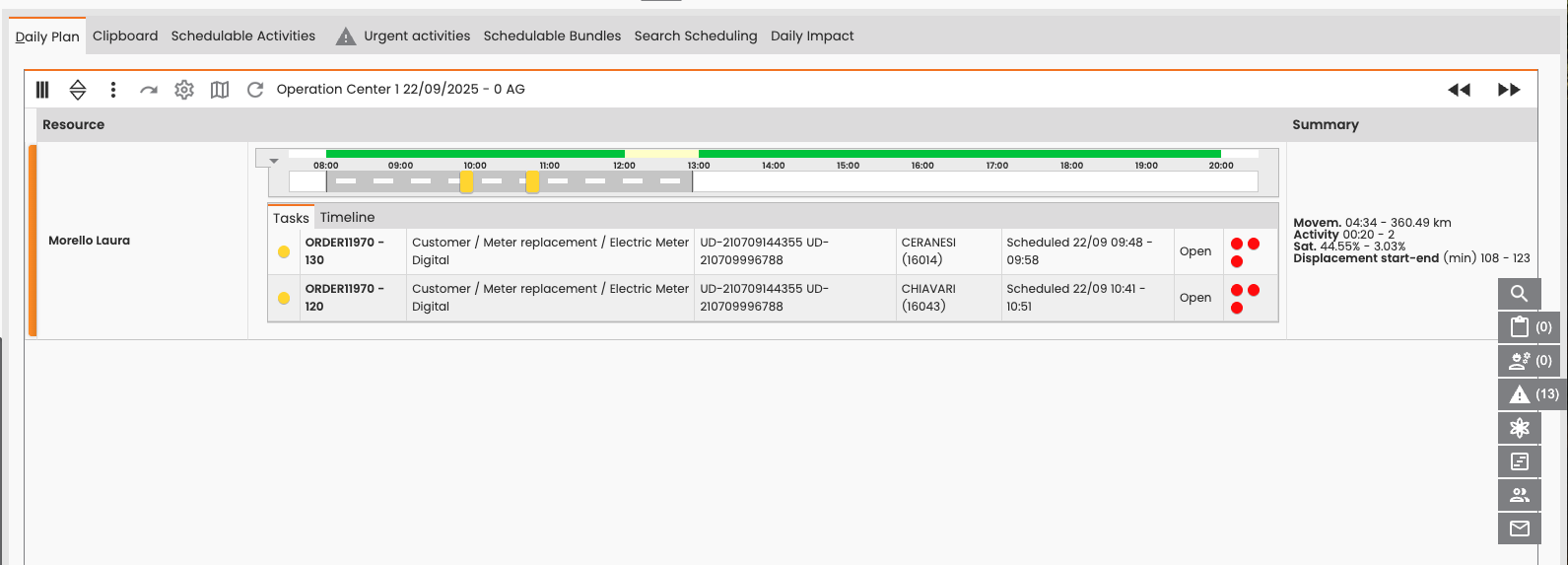
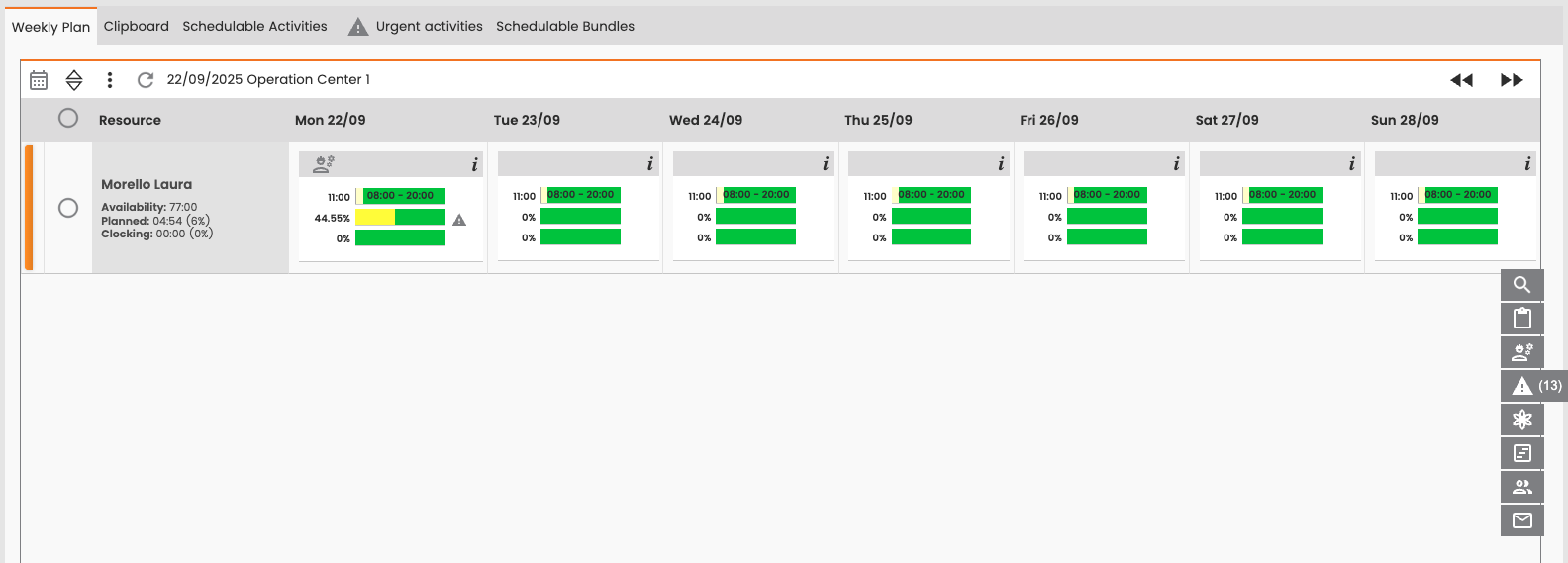
Virtual Scheduling is a tool for managing, reviewing, and comparing simulations of different scheduling models for both daily and weekly plans. You can use it to visualize and manually edit the tool's proposed schedules while evaluating key data such as resource saturation, displacement time, and scheduled activities.
Model Options
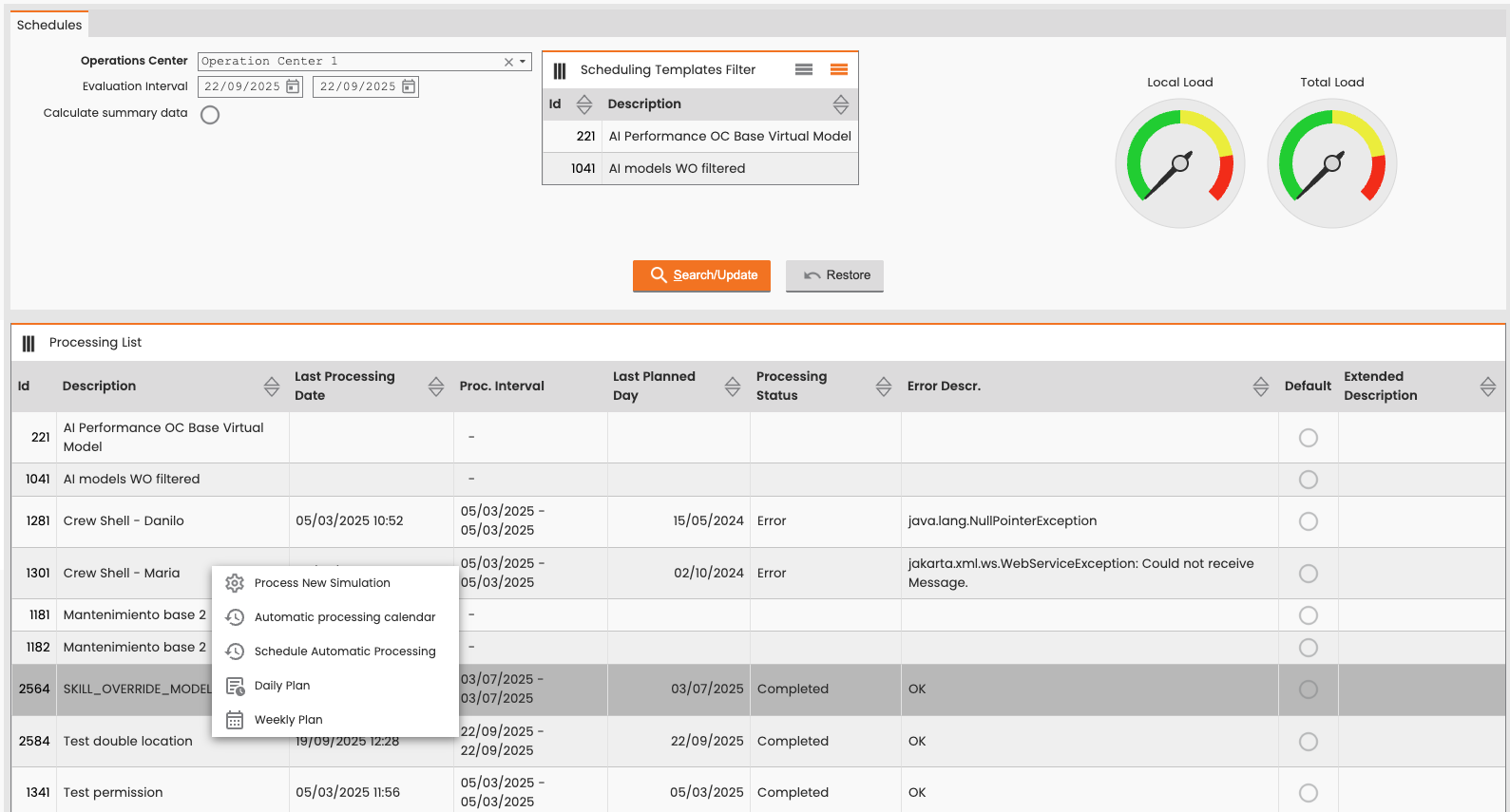
You begin by filtering by Operation Center and and viewing the models that were created for those centers. For each model you then have the following options:
-
Process new simulation
-
Automatic processing calendar
-
Schedule automatic processing
-
Daily plan
-
Weekly plan
Manage Simulations
Process New Simulation
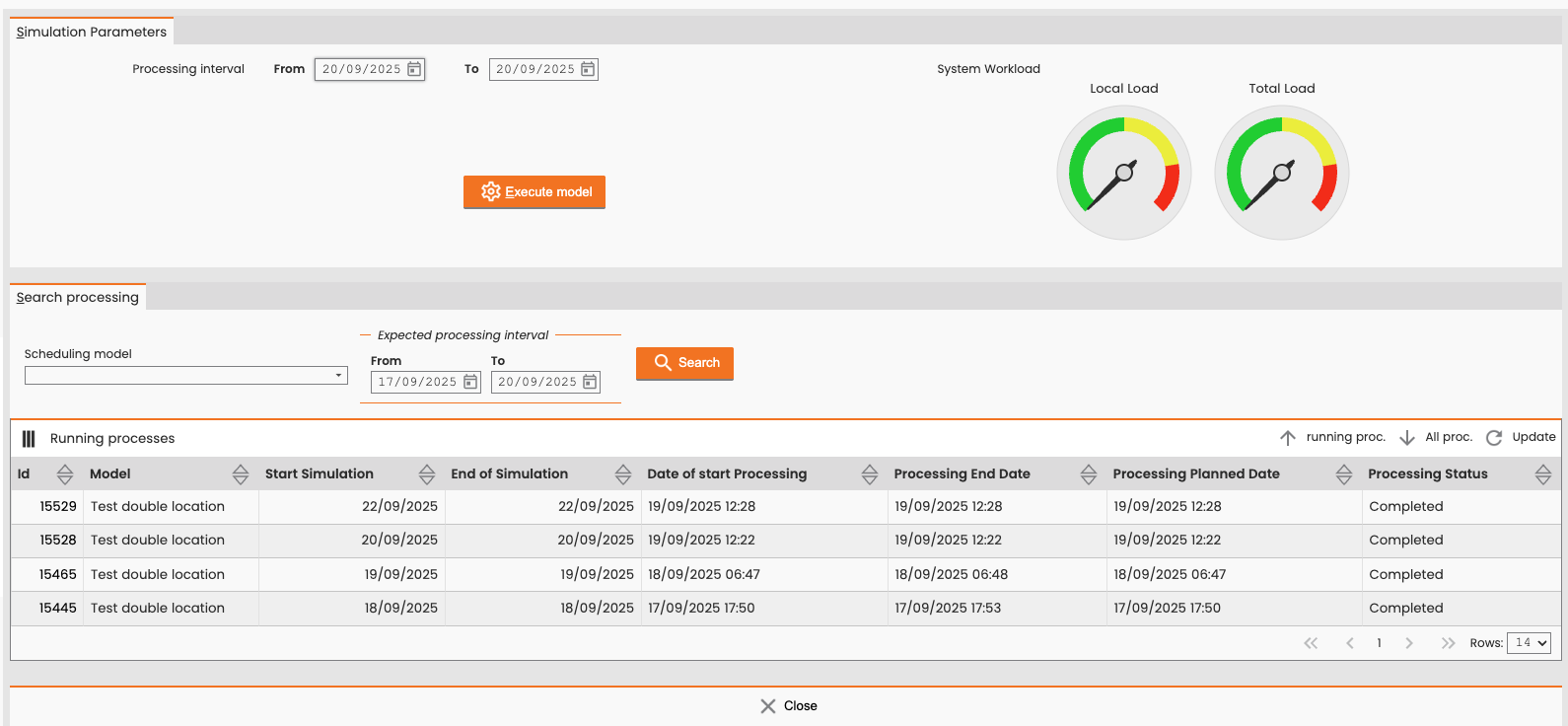
Select Process New Simulation to launch a new simulation for a specific period. You can:
-
Launch the model simulation for the selected period.
-
View details of launched simulations and access the logs to verify that activity coordinates sent to the VRP match the logic as described in section https://overit-docs.atlassian.net/wiki/spaces/NEXTGENFSMLTSTRLS/pages/edit-v2/56852484#Logic-for-Activity-Location.
Automatic Processing Calendar
Select Automatic processing calendar to schedule the system to automatically process that simulation on a specific day and time. This way you don’t have to start runs manually.
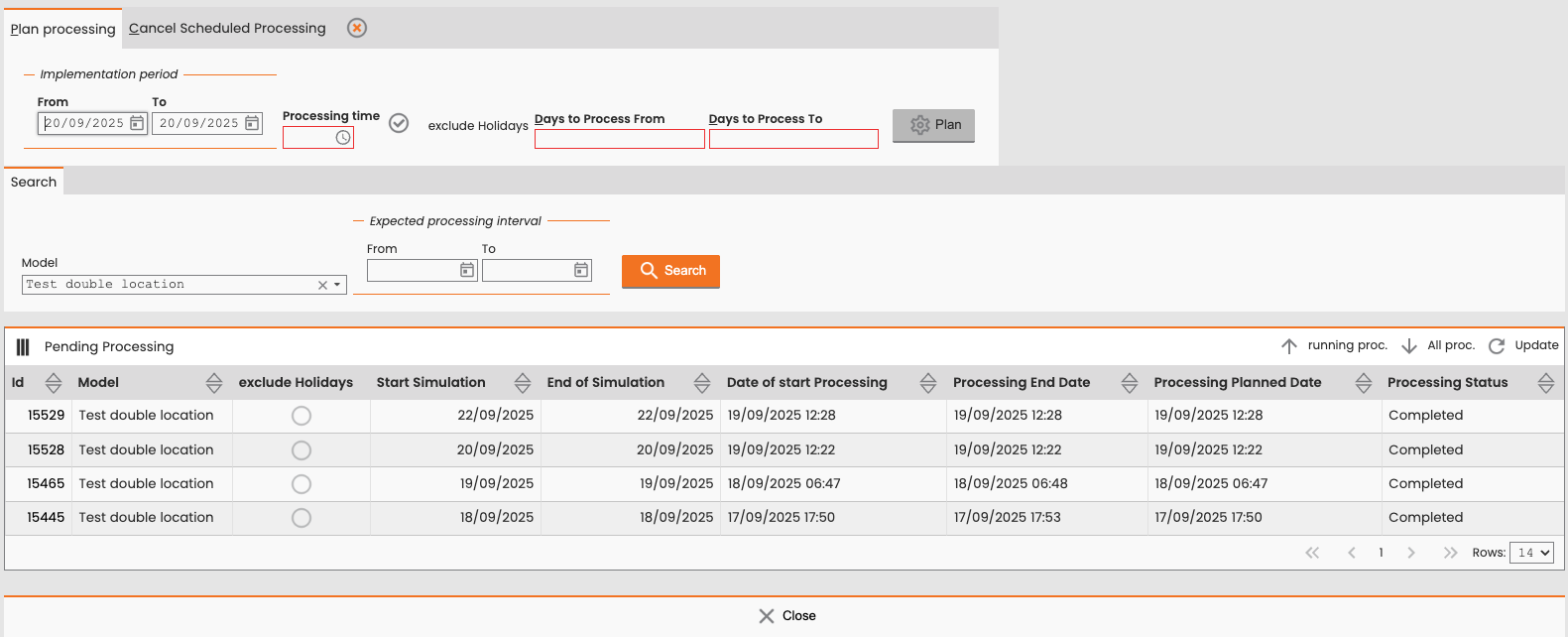
Schedule Automatic Processing
Select Schedule Automatic Processing to set up automatic processing based on the selected scheduling model.
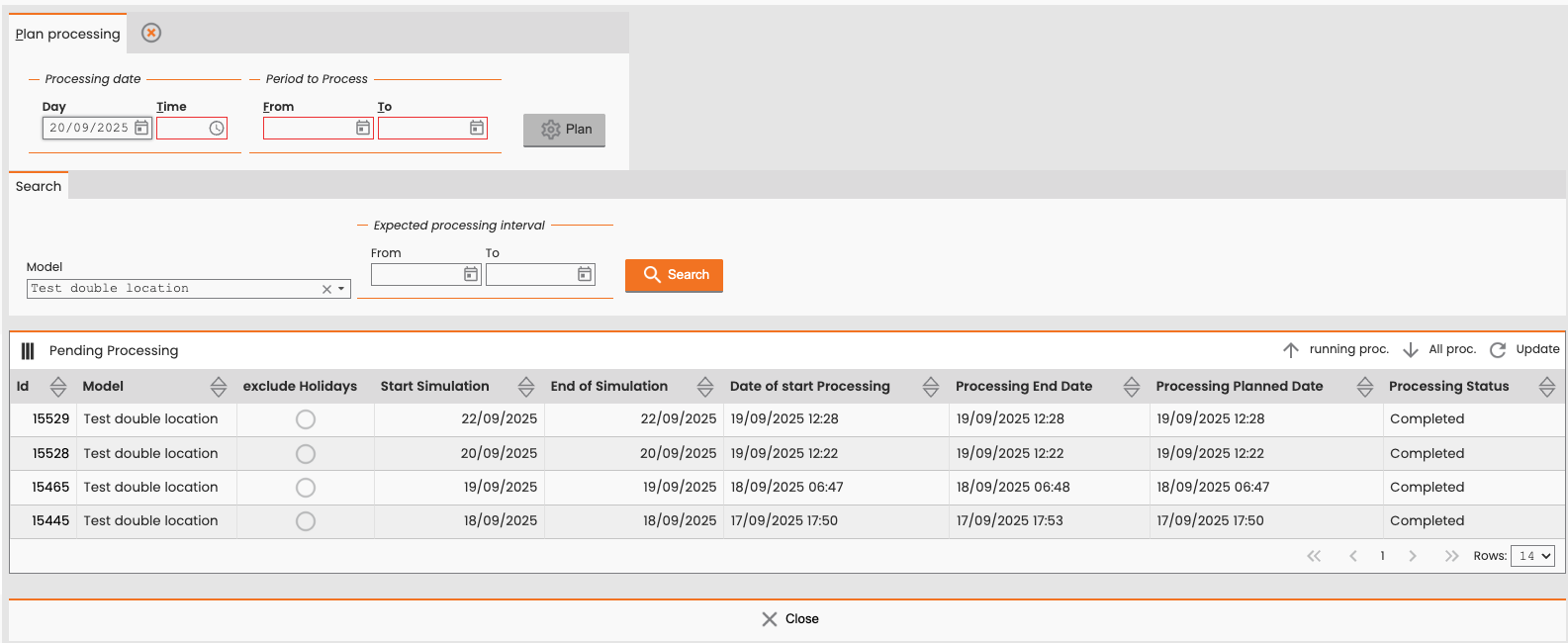
Logic for Activity Location
For every operation that is selected to be sent to the VRP and not to be excluded, FSM determines the activity location coordinates using the following logic:
If the operation address is present and correctly normalized, FSM uses this address as the activity location instead of the technical object address. FSM sends these coordinates to the VRP within the corresponding activity element.
If the operation address is not present but is a real facility component, FSM uses the technical object coordinates to set the task location and sends these coordinates to the VRP.
Review and Edit Plans
Select Daily Plan or Weekly Plan to open the virtual daily or weekly plan with the latest simulation's scenario.
You can perform manual scheduling actions, which initially complete the virtual scheduling for the indicated days. These virtual manual scheduling functionalities consider the activity address, not the technical object address, for scheduling. For more details, see Double Location on Daily Plan.