Overview
We added double location information to the view on the Daily and Multi-day Plan pages (Features > Core).
This update includes the following key changes:
-
A filter to search for Schedulable Activities based on the Activity Address.
-
Addition of the Activity Address (if present) to the following panel cards:
-
Schedulable Activities
-
Urgent Activities
-
Clipboard
-
-
A new column showing the Activity Address in the following data tables:
-
Schedulable Activities
-
Urgent Activities
-
Clipboard
-
-
Prioritization of Activity Address during scheduling processes
Search Schedulable Activities by Activity Address
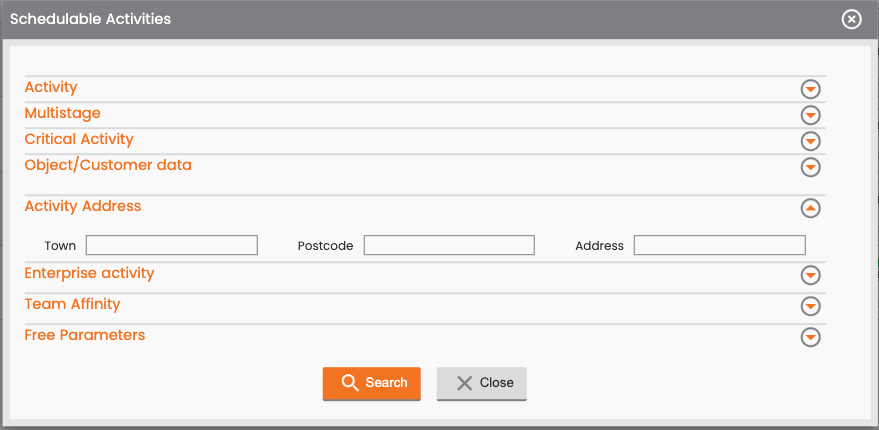
You can search for schedulable activities by filtering based on the activity address. You can use the following fields to filter:
-
Town
-
Postcode
-
Address
View the Activity Address
You can view the Activity Address, if it exists, in both the activity panel cards and the data tables for schedulable activities, urgent activities, and clipboard. The existing Facility Address is typically labeled as just Address.
Panel Cards
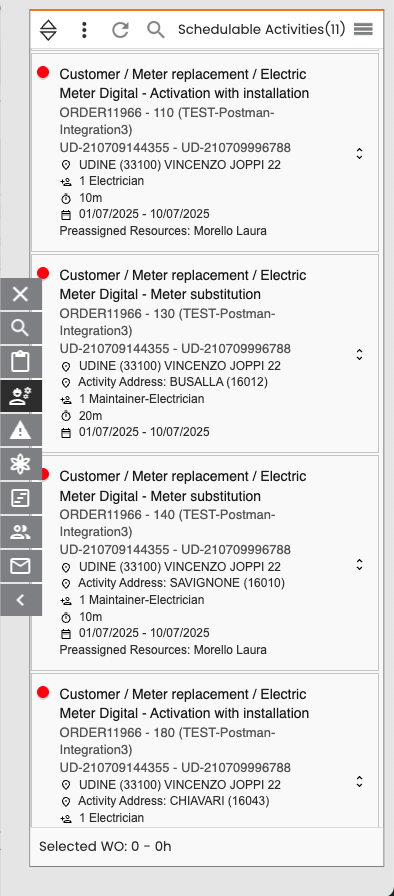
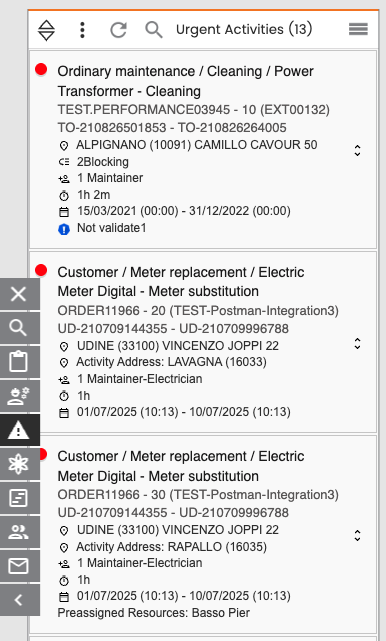
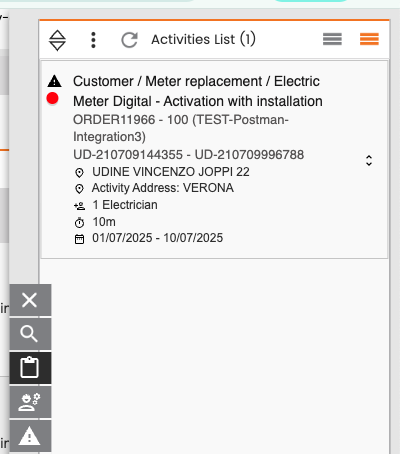
For schedulable activities, urgent activities, and clipboard, the activity address appears in the activity card right below the facility address.
-
The activity address has a dedicated label, Activity Address.
-
If there is no activity address saved, the row does not appear in the card.
Data Tables
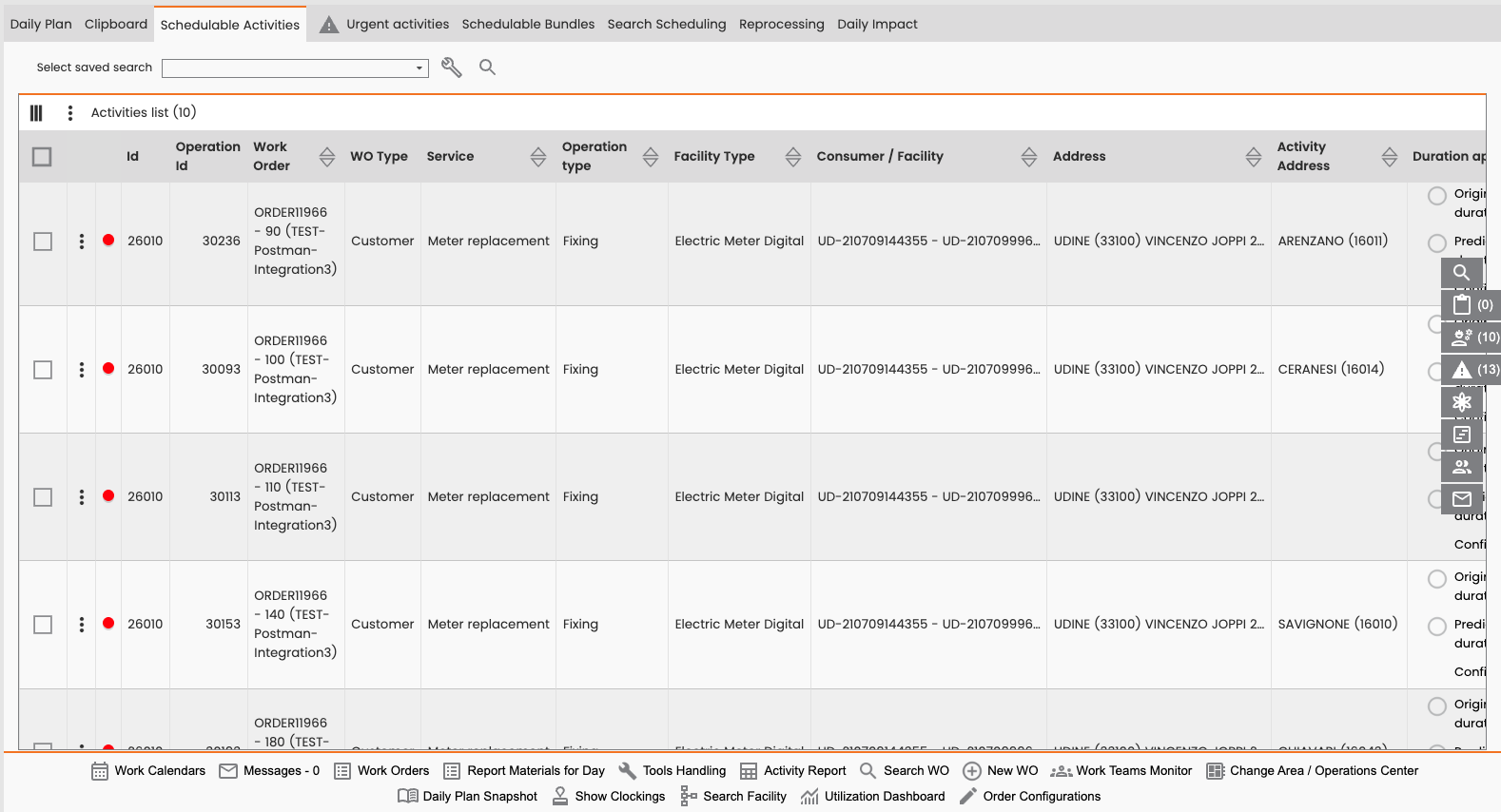
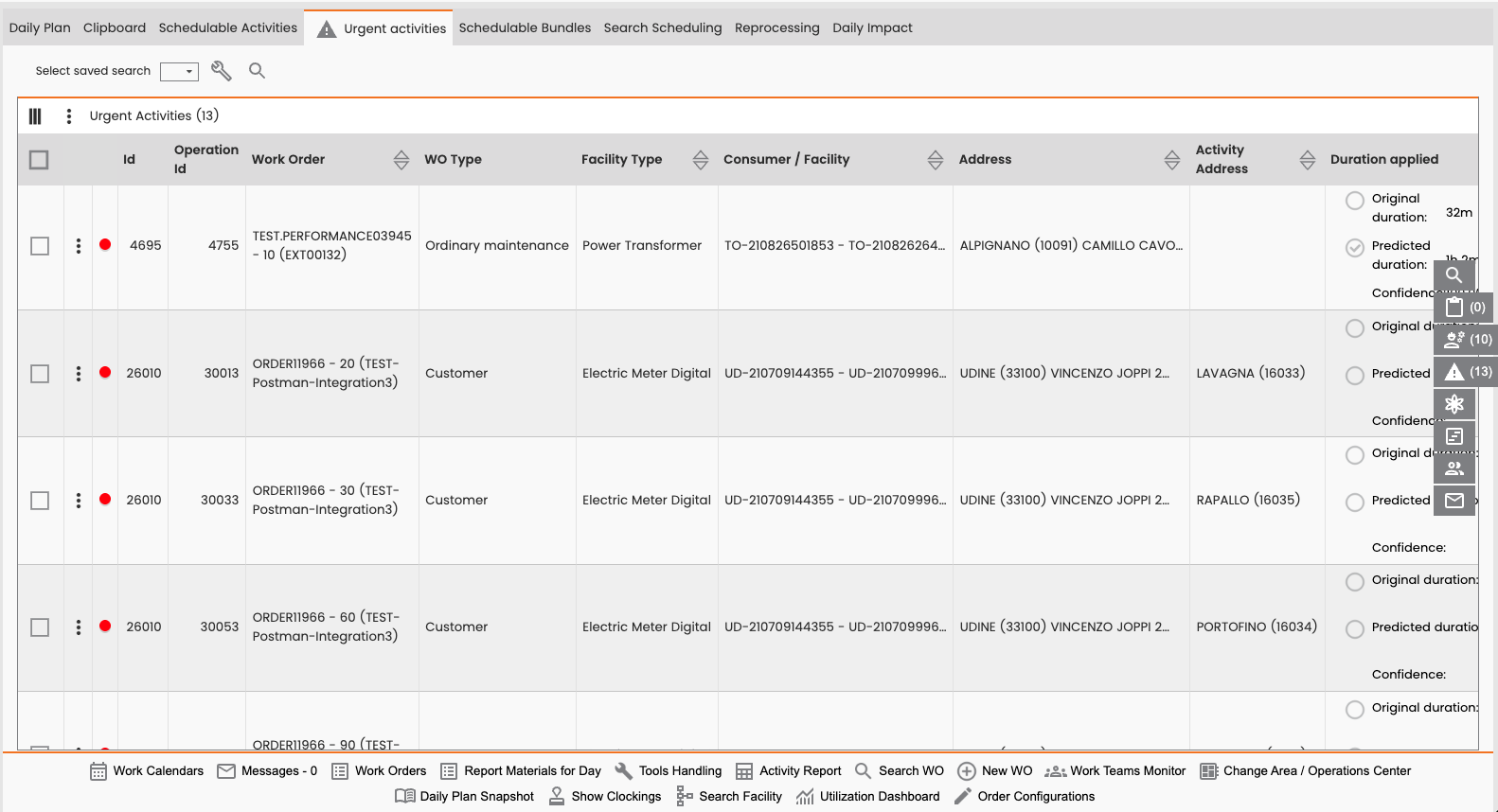
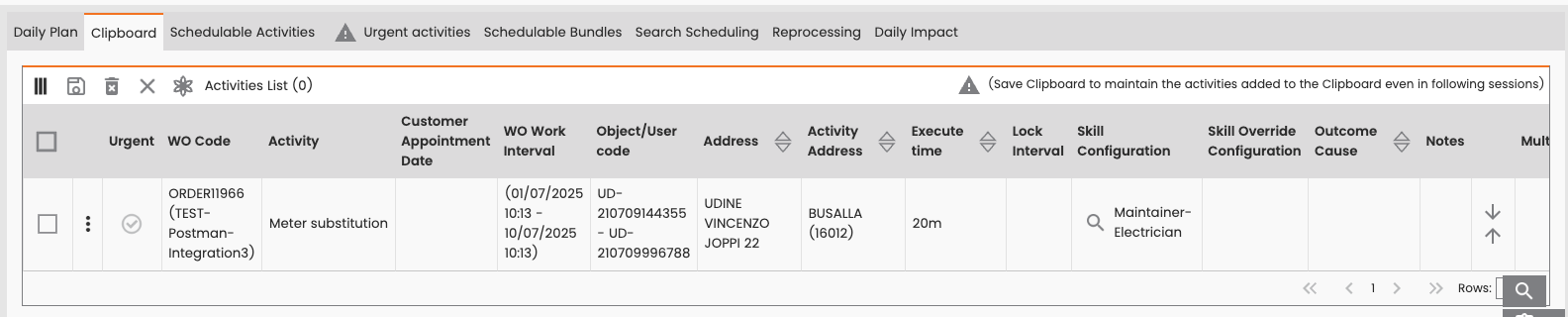
In the Schedulable Activities, Urgent Activities, and Clipboard tabs, the tables include two separate columns for location.
-
Address: Contains the Facility Address
-
Activity Address: Contains the Activity Address
Scheduling using Activity Addresses
The system prioritizes the activity address (the exact work location) over the facility address (the technical object location) when performing scheduling actions.
The manual scheduling processes includes different types of operations:
-
Paste
-
Paste on Single Resource
-
Paste on Team
-
Paste with Preview
-
Paste with Appointment
Address Selection Logic
During the scheduling process, the system determines the location coordinates as follows:
|
Condition |
System Action |
|---|---|
|
Activity address is present and valid. |
The system uses the activity address for the activity's location and sends these coordinates to Gisware for routing. |
|
Activity address is missing, but a facility component is present. |
The system uses the facility address to set the task location and sends these to the VRP. |
If the system fails to complete the paste action using the activity address, you will be prompted with an option to retry the action using the technical object coordinates, if they are available.
Scheduling processes that include previews, where multiple recalculations may occur, also prioritize the activity address (if present) over the technical object address for accurate route planning.
View the Address on the Daily Plan
After you successfully paste an operation onto the agenda, the address displayed in the Daily Plan cell confirms the location used for routing:
-
It shows the activity address if it was present and used for routing.
-
It shows the facility address if the activity address was empty.
View the Address on the Map
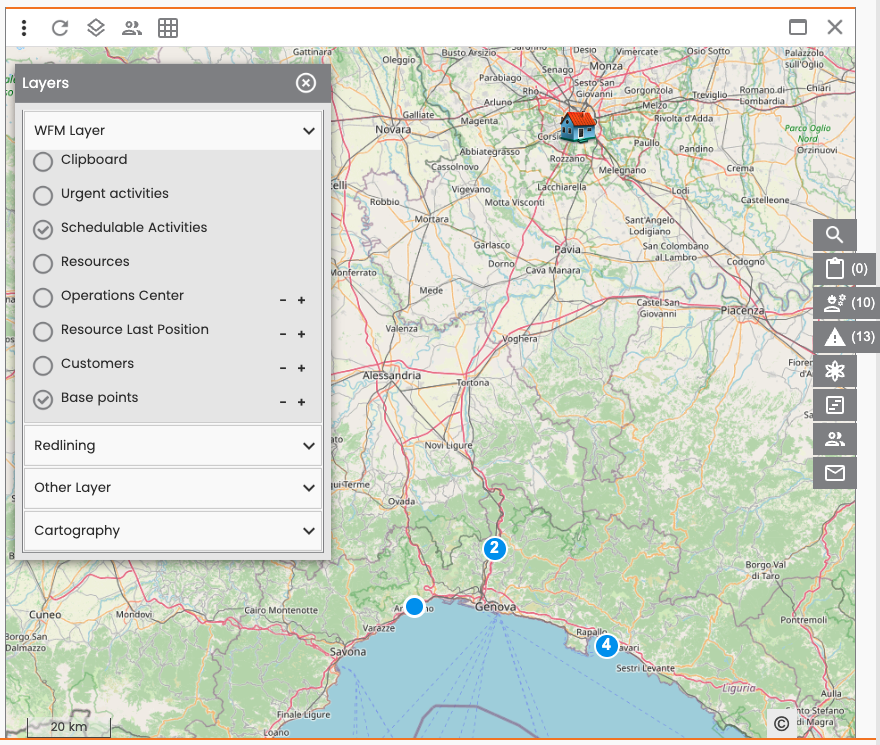
The map view (whether embedded or in a dedicated window) shows the activity locations based on the address used during scheduling:
-
If an activity address was used, the activity is pinned on the map at the activity address location.
-
If the activity address was not present, the activity is pinned on the map using the technical object location (facility address).