
Overview
The Double Location feature is integrated into Automatic Scheduling. This document outlines the resulting changes across the system's route calculation and optimization components.
Note that the system only uses an activity address if it is present and has been correctly normalized to at least the municipality level.
Optimize Route
Optimize Route helps you to manually manage daily plans. It calculates the optimal route to minimize travel time for activities already assigned to a resource or team.
The system checks if any assigned tasks have an activity address that differs from the technical object's coordinates.
-
Scenario 1: Activity address is present and normalized
-
FSM uses the activity address as the activity location and sends these coordinates to the Gisware for route calculation.
-
-
Scenario 2: Activity address is not present
-
FSM uses the technical object's coordinates (facility component coordinates) for the activity location.
-
Optimize and Integrate Route
Optimize and Integrate Route not only optimizes the existing plan but also adds new activities to a resource or team's plan. It respects constraints like work schedule, time slots, and required skills.
This feature applies the double location logic to both existing assigned tasks and newly added operations.
Already Assigned Tasks
The scenarios are identical to Optimize Route.
New, Automatically Assigned Operations
-
Scenario 1: Operation address is present and normalized
-
FSM uses the operation address as the activity location and sends these coordinates to the Gisware.
-
-
Scenario 2: Operation address is not present
-
FSM uses the technical object's coordinates (facility component coordinates) for the activity location and sends these coordinates to the Gisware.
-
Recalculate and Update
Recalculate and Update realigns existing daily plans. It reschedules activities based on the current time, the last known resource position, and the progress status.
The scenarios are identical to Optimize Route.
Reprocessing
The Reprocessing feature launches an automatic rescheduling run (either manually executed or scheduled) from the Daily Plan.
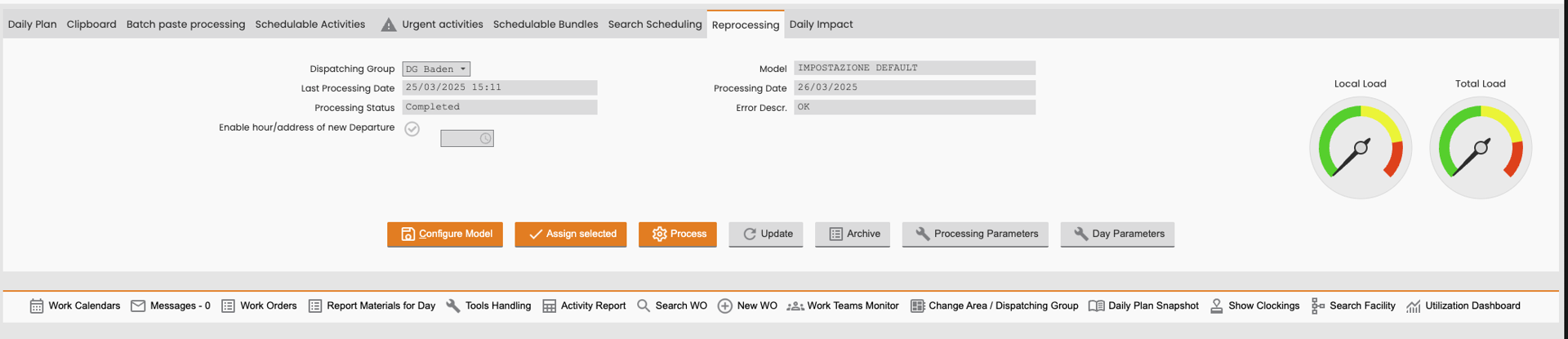
During reprocessing, the system evaluates all selected operations sent to the VRP and applies the following logic for setting the activity location:
-
Scenario 1: Operation address is present and normalized
-
FSM uses the operation address as the activity location and sends these coordinates to the VRP.
-
-
Scenario 2: Operation address is not present
-
FSM uses the technical object's coordinates to set the task location and sends these coordinates to the VRP.
-