
Some widgets are used to organize toolbars.
They are useful if you use a lot of widgets, and you need to organize them better, for example separate all “search” widgets, from the measurement widgets. Moreover, group map navigation widgets and separate them from zooming widgets and so on.
In the table below you can see all existing organization widgets and an example:
|
Icon |
Description |

|
Name: tbfill Description: Moving tool positions to the opposite side of the toolbar |
|
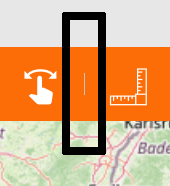
Name: tbseparator Description: Vertical line separator |
|
Name: tbspacer / component Description: Additional space between two tools |
Example:

This toolbar is configured with a lot of widgets with different functionalities, and it seems being just a bar on which place widgets, without any logic or organization.

In this toolbar widgets are grouped by their functionality, so there are:
-
First group: map interface widgets
-
Second group: all widgets about searching, zooming and retrieve asset’s info
-
Third group: navigation widgets
-
Last group: measurement widgets and print map widget