
Available in toolbars: map, navigation
See reference: https://overit-spa.atlassian.net/wiki/spaces/NEXTGENGEO/pages/103375340676/Toolbar+management#Pre-defined-toolbars
Name: ui_historymap
Description: It is a quick access to all saved information retrieved using the info panel. Info widgets
Icon:

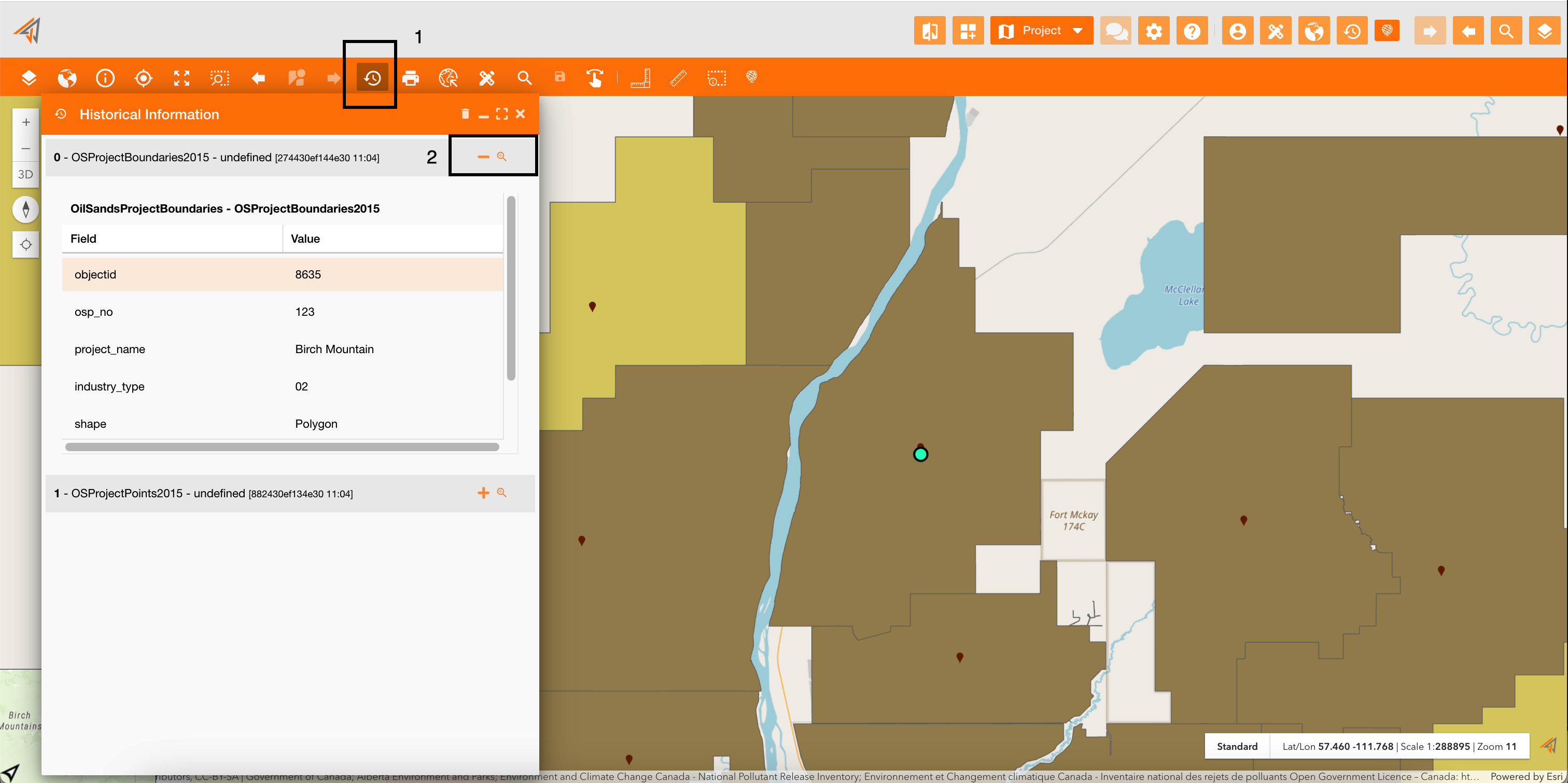
Clicking the historical information icon (Figure 1 - Historical information panel - icon 1), a new panel will show the list of all saved data, and you can zoom on them clicking the zoom icon (Figure 1 - Historical information panel - icon 2) and the map will be centered on that object.
You can delete all saved data clicking the delete icon on the top-right of the panel.
|
|---|
|
Figure 1 - Historical information panel |