
Available in toolbars: maps
See reference: https://overit-spa.atlassian.net/wiki/spaces/NEXTGENGEO/pages/103375340676/Toolbar+management#Pre-defined-toolbars
Measurement tools allow to measure distances, areas and perimeters directly clicking two ore more points on the map.
For example, they are useful to measure areas and distances in a planning development projects, in order to respect local regulations. Moreover, also to manage emergency and evaluate distances to an incident site or to calculate areas affected by a natural disaster.
Measure area
Name: ui_measurearea
Description: Allow to measure area of a polygon drawn by hand on the map
Icon:

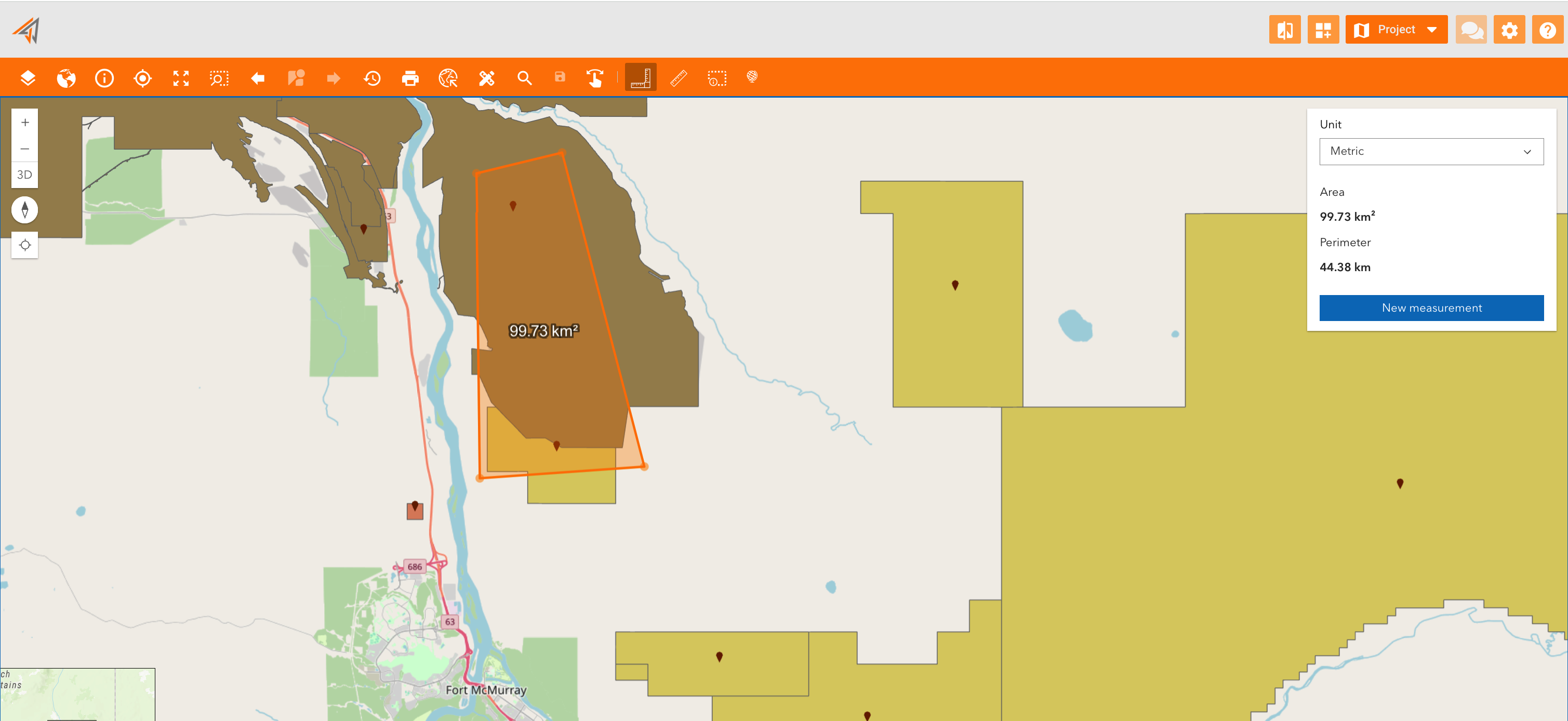
Clicking on the related icon, start to measure by clicking in the map to place your first point, and then click again until you draw a polygon.
A new panel will appear showing the measured area and perimeter, allowing to change measure unit too.
To start a new measurement click “New measurement”.
|
|---|
Measure distance
Name: ui_measuredistance
Description: Allow to measure a distance between two points on the map
Icon:

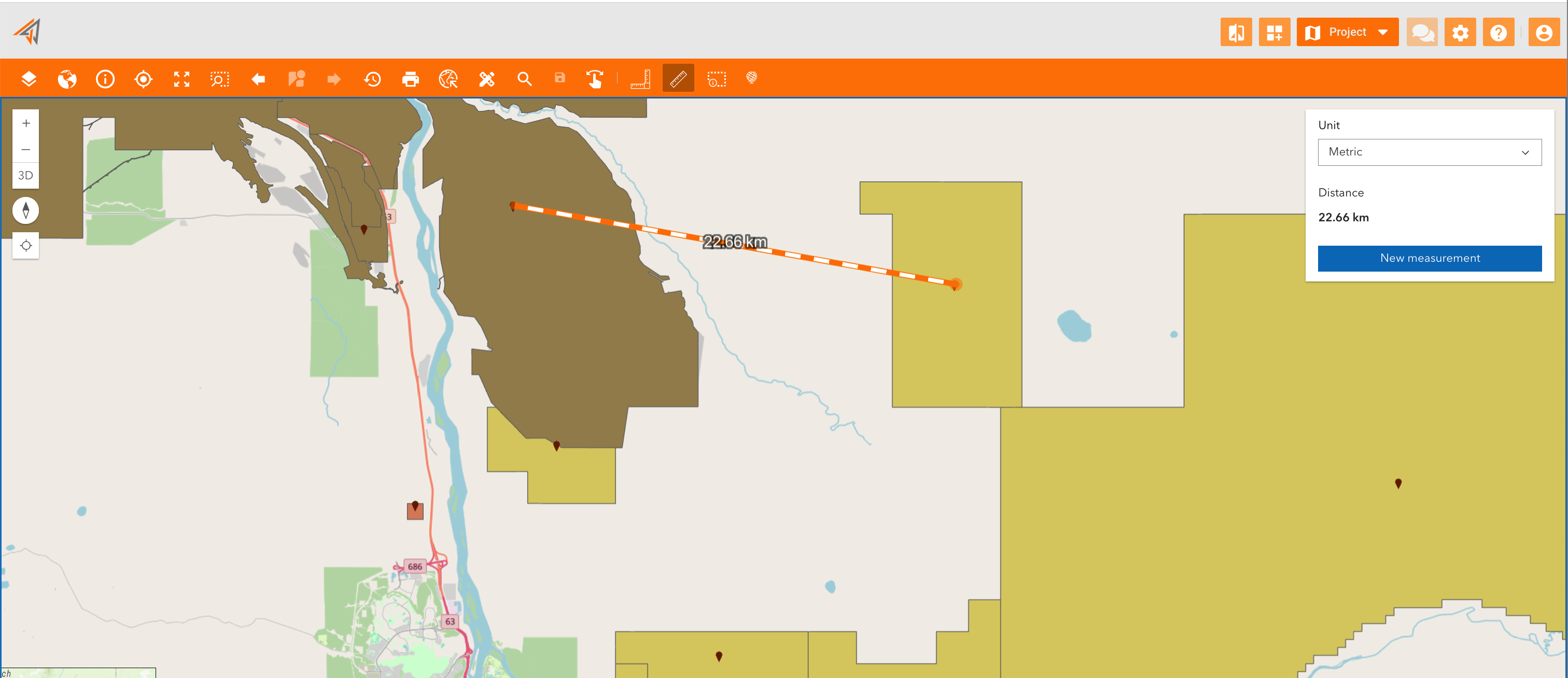
Clicking on the related icon, start to measure by clicking in the map to place your first point and then click for the second time to place the second point.
A new panel will appear showing the measured distance and allowing to change measure unit.
To start a new measurement click “New measurement”.
|
|---|