
A basemap is the first layer that provides geographic context for your map. It serves as a blank canvas upon which you add your data to create an informative visualization.
Only Configurator group can access to this configuration
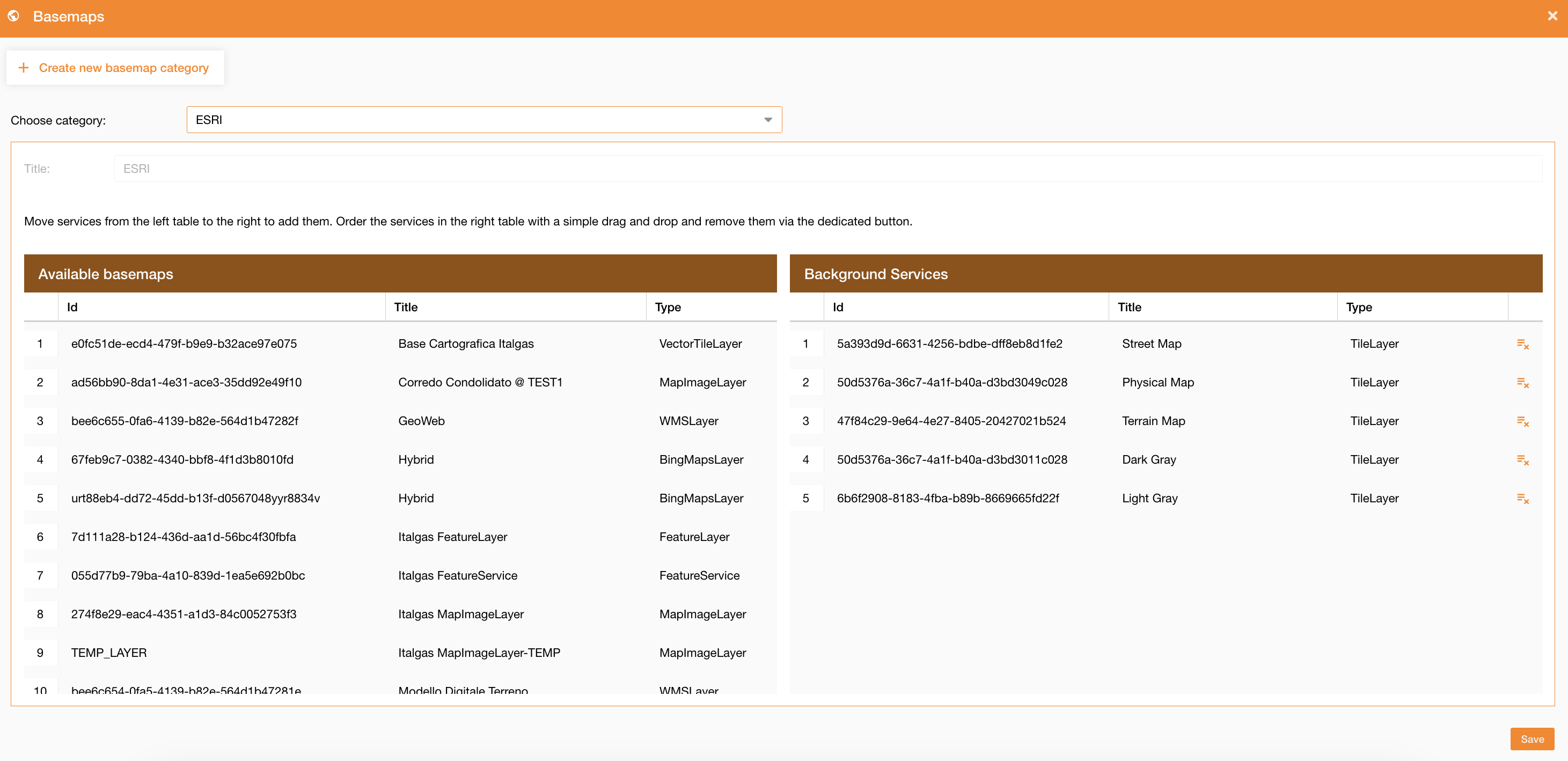
Going on the Control Panel > Maps > Basemaps tab, you can configure an already existing basemaps, choosing it in the dropdown menu, or you can create a new basemap clicking on the related button “Create new basemap category”. (Figure 1 - Basemap configuration)
|
|
|
Figure 1 - Basemap configuration |
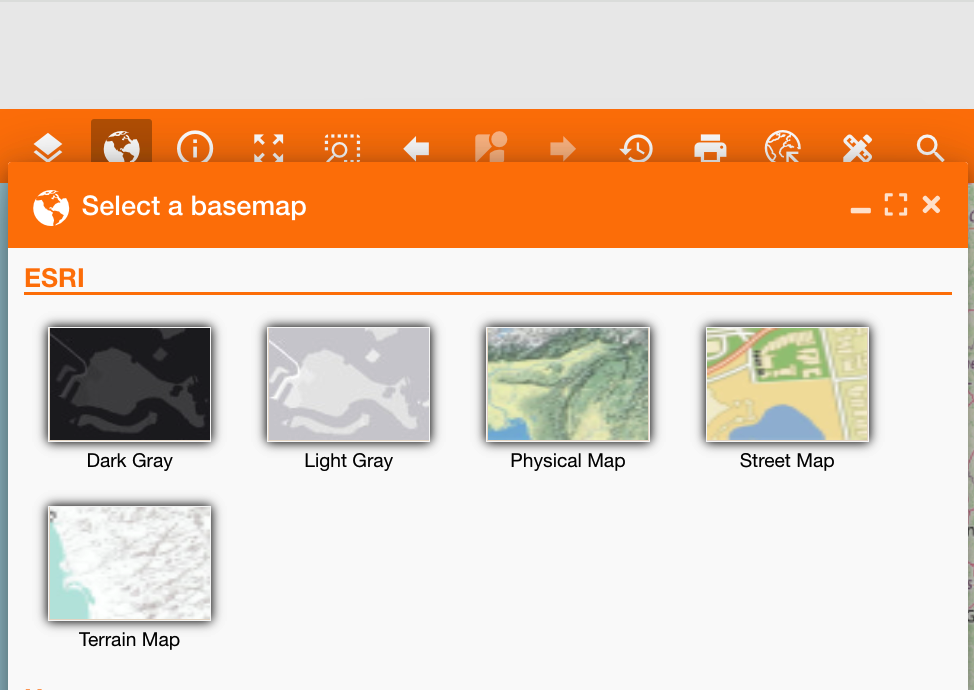
In the panel there will be the list of all available services to configure a basemap, you can add one or more of them using the drag and drop, and after saving you will be able to see them in the basemap widget Basemap widget on the home page and select the one you prefer (Figure 2 - Basemap selection). The default one will be the top of the list.
|
|
|
Figure 2 - Basemap selection |