
Introduction
The platform makes it possible to manage the relationship between services and categories.
Categories are totally managed by the configurator user and are not related to services' data.
The relationship between services and categories is crucial for organization, discoverability, and efficient use of geospatial data and functionalities. Here's why it's so important:
-
Organization: This allows users to find the tools they need more easily, especially when dealing with a large number of services offered by the platform. Services can be grouped based on their functionalities, this thematic grouping helps users understand the purpose of each service and identify the most relevant ones for their specific tasks.
-
Search Optimization: Categories can be linked to keywords or search terms. This allows users to find specific services through the platform's search function, even if they don't know the exact name of the service.
How to create a category
Only Configurator group can access to this configuration
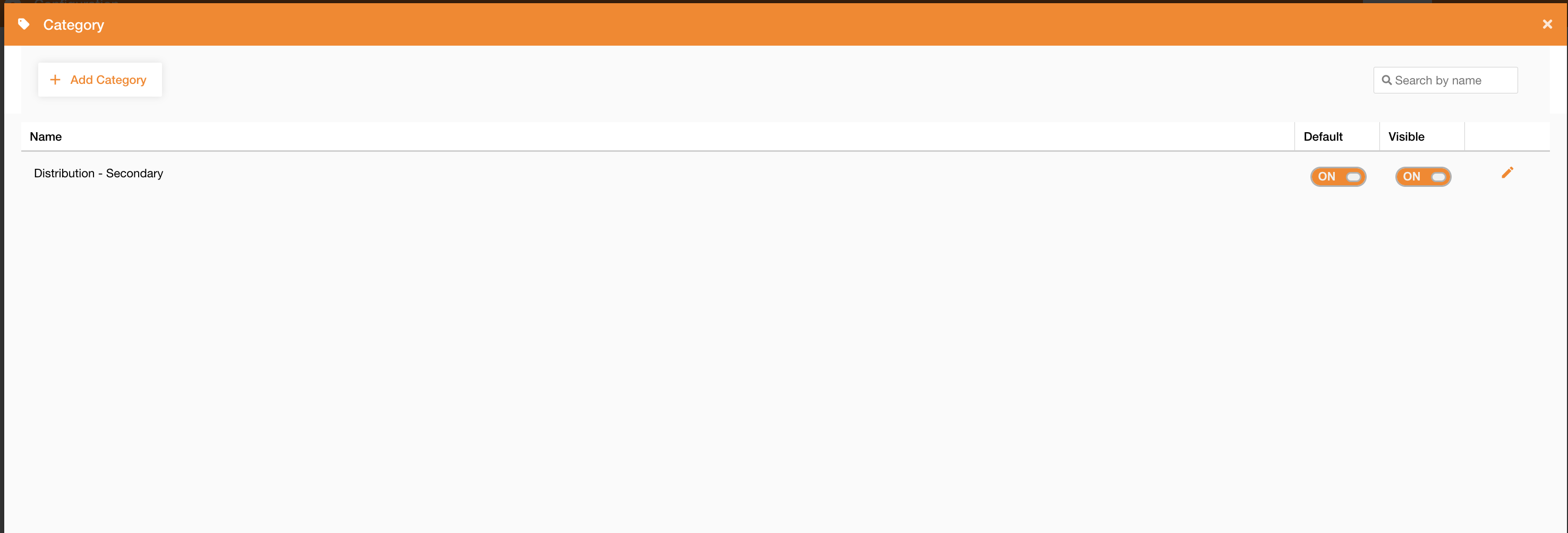
Going on Control Panel > Maps > Category, you can access to the list of existing categories.
Using this panel, you can edit an existing category or add a new one clicking the “Add Category” button.
|
|---|
|
Figure 1 - Category view |
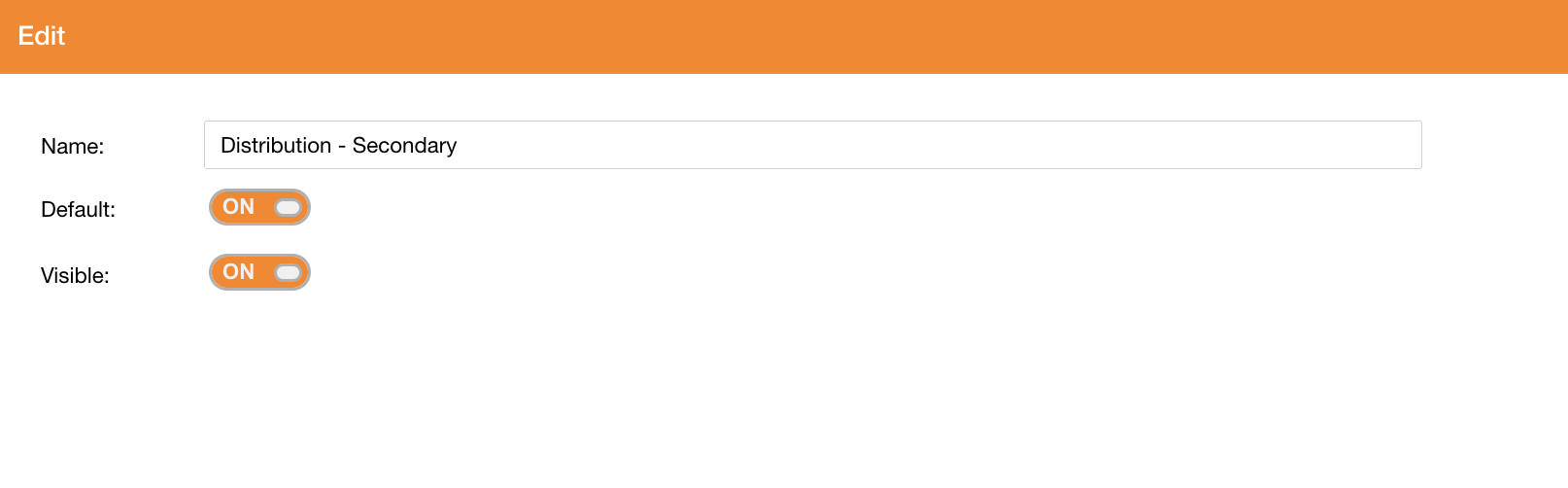
In the following table there are category’s fields:
|
Field |
Description |
|---|---|
|
Name |
Category’s name |
|
Default |
If true, the category is selected by default in the search panel (Search widget ) |
|
Visible |
If true, the category is visible in the list of available categories in the search panel (Search widget ) |
|
|
|---|
|
Figure 2 - Category creation |
See how to:
-
configure categories on a service: https://overit-spa.atlassian.net/wiki/spaces/NEXTGENGEO/pages/103375340160/Service+Configuration#Service-properties
-
configure fields search on a servicehttps://overit-spa.atlassian.net/wiki/spaces/NEXTGENGEO/pages/103375340160/Service+Configuration#Service-Layers---Search