
Overview
A Work Order (WO) is the primary tool in the NewGen Platform for managing field activities. It allows you to schedule, assign, and dispatch work to technicians.
Every WO is connected to a specific facility (such as a customer, plant, or technical network element) and includes all the necessary operations to complete the work.
Work Order Structure
The WO structure has two main parts: a header and one or more rows (operations).
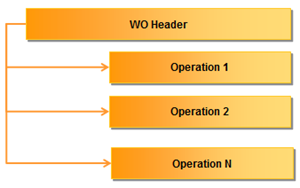
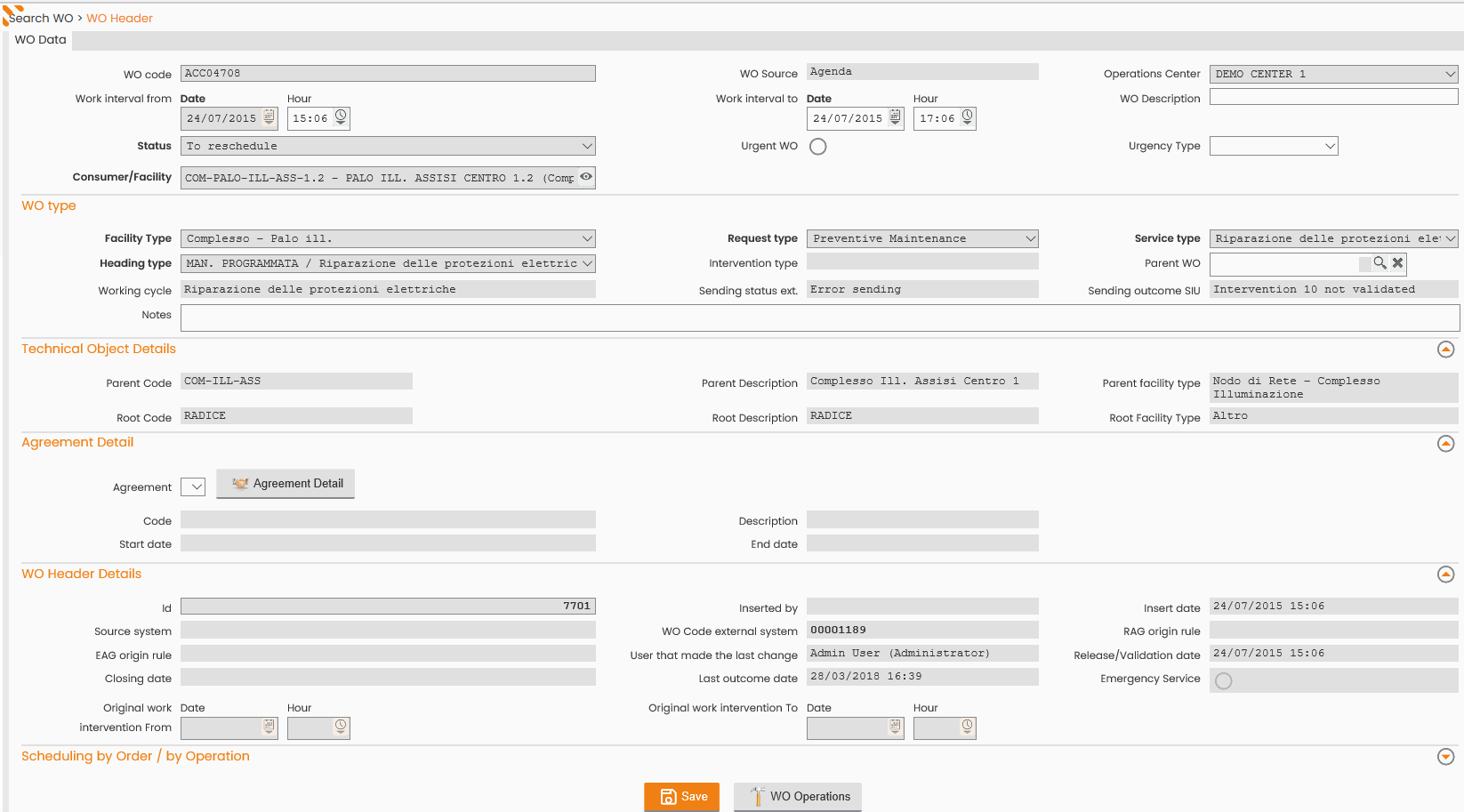
Work Order Header
The header contains essential information that defines the entire WO.
The header reports key attributes, such as:
-
WO Code
-
Operations center
-
WO interval date (the required time frame for the work)
-
WO status
-
Customer or facility (the WO's object)
-
WO type
-
Other relevant information
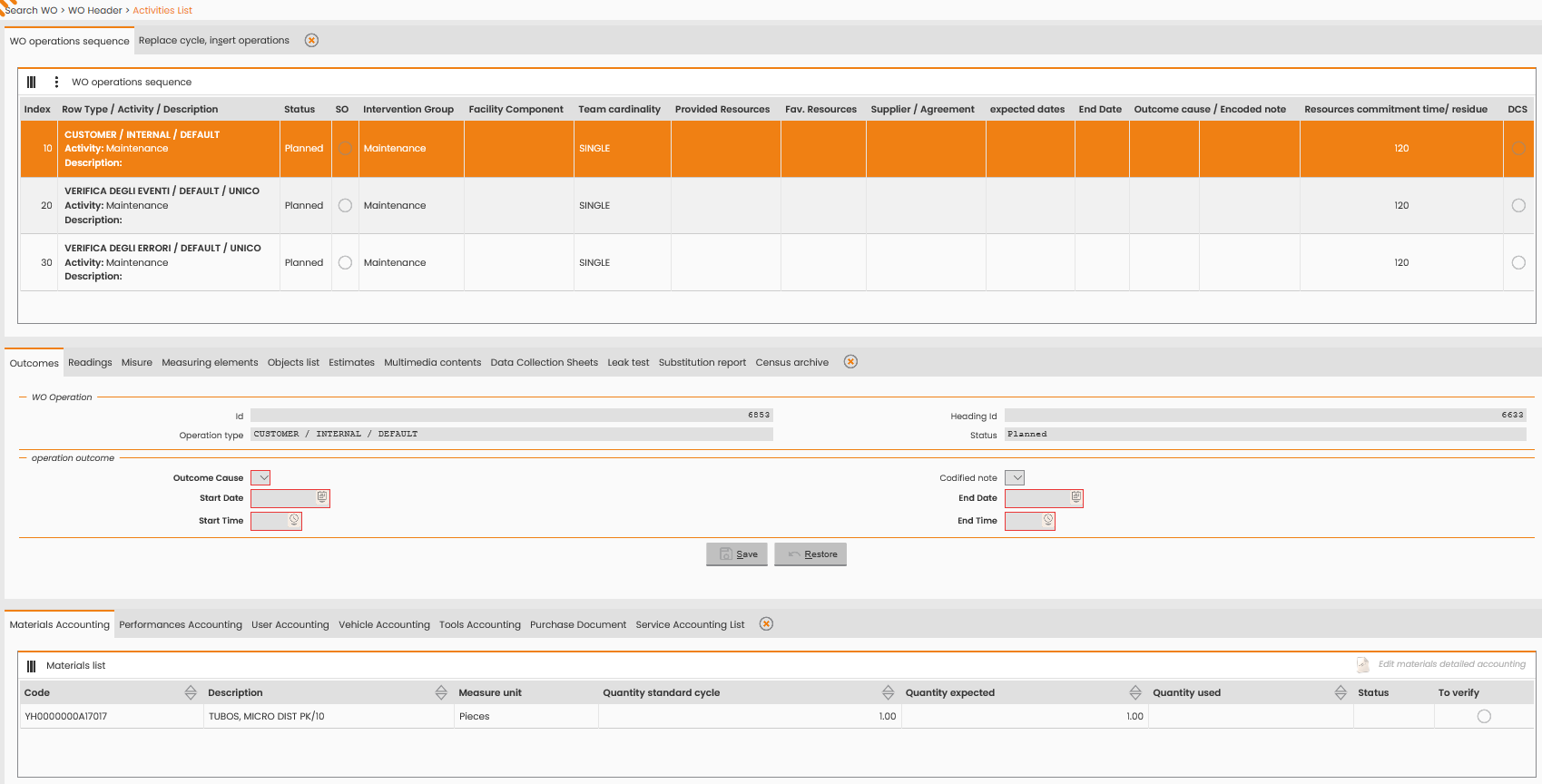
Work Order Row
The rows define the actual field activities, meaning the tasks the technician must perform.
A WO can have one or more operations:
-
One operation: Typically used for orders associated with a customer.
-
Two or more operations: Often used for facility maintenance activities.
Each operation row includes data for both scheduling and accounting:
-
Scheduling data (before execution):
-
Expected duration of performance
-
Number of required resources
-
Provided or required materials
-
Associated tools and vehicles
-
-
Accounting data (after execution):
-
Performance time range (start and end date/time)
-
Outcome causal (for example, task performed, task not performed, task to perform again)
-
Accounted materials (list of materials used, including unit and quantity)
-
User detailed accounting (resource IDs, names, and time accounted)
-
Vehicle detailed accounting (vehicle code, description, and time accounted)
-
Technical data (for example, meter readings)
-
Attachments (photos and documents from the field)
-
Further accounting data (varies by WO type)
-
Work Order Management and Interventions
During its lifecycle, an operation may require more than one site visit. Every time an order (and its operations) is scheduled and dispatched to the field, it is called an Intervention.
An intervention is:
-
The technician's specific 'on-site travel' to perform a WO operation.
-
The object displayed on the planning board and dispatched to the technician for execution.
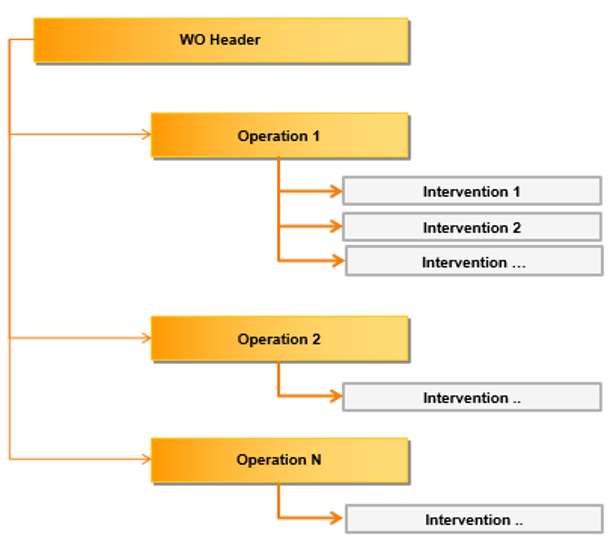
Example scenarios that require multiple interventions:
-
Customer absent: A team arrives but cannot perform the activity because the customer is absent. They debrief the first intervention with an "Absent customer" outcome, and a second intervention is necessary to complete the work later.
-
Multi-day work: An activity requires several days to complete. The team debriefs a partial outcome each day. The WO and its operation remain the same, but there are multiple executions (interventions) with different dates, outcomes, and teams.
This system allows you to trace every site visit (exit) accurately.
Work Order Classification
You can manage WOs in two ways:
-
Managed as order: Assign and debrief all operations together as a single unit.
-
Managed by operation: Assign and debrief each operation independently.
Work Order Type (Header Classification)
The NewGen Platform defines a unique WO type by combining three elements, which define the header type:
-
Request Type: The category of the original request (for example, ordinary maintenance, extraordinary maintenance, programmed cycle, customer service).
-
Service Type: The specific type of service (for example, surveillance systems, reading meters, maintenance of wells, remote control, cut due to non-payment).
-
Facility Type: The macro type of the technical object involved (for example, central, meter, reducer, tank).
This combination defines the specific WO (for example, "Customer / Cut due to non-payment / Meter"). A change in any of these three values generates a new WO header. For example, the following two combinations are two unique headers:
-
ORDINARY MAINTENANCE - PERIODIC INSPECTION - LIFTING WATER SYSTEM
-
ORDINARY MAINTENANCE - PERIODIC INSPECTION - POWERED GATE VALVE
You need the header type to define the WO and any related entities that vary by customer. Header types are critical elements that you report in the functional analysis or mapping phase when implementing a new project. You typically map these fields to existing classifications used by your company systems (like ERP or CRM).
Mapping example (SAP): The ERP WO type can map to the NextGen Platform's request type, and the ERP PM Activity can map to the NextGen Platform's service request.
Operation Type (Row Classification)
The NewGen Platform classifies operations using three or four levels:
-
Operation type: Defines the specific task to perform.
-
Resource type: Defines the macro-type of resource needed.
-
Work center type: Defines the operation for accounting purposes.
-
(Optional) Facility type: Defines the technical object type.
Note: The most common use case only requires the operation type as the key differentiator, with default values for resource type and work center type.
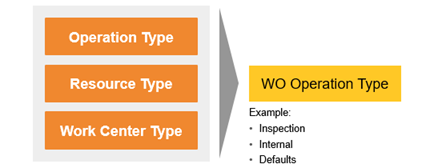
You can use the facility type (if included) and the operation type's status (“single” or “repeatable”) when configuring a work cycle to automatically insert operations. See the following table.
|
Operation type status in work cycle |
Behavior when WO object has multiple sub-components (leaves) of the same facility type |
|---|---|
|
Repeatable |
The work order generates many operations, equal to the total number of sub-components or leaves. |
|
Single |
The work order generates only one operation, regardless of the number of sub-components or leaves. |
For operation properties, the ERP Text Key can map to the NextGen Platform's operation type, and the ERP Control Key can map to the NextGen Platform's resource type.
Work Order Status Workflow
Statuses apply to both the overall WO and its specific operations. The overall WO status is determined by combining the statuses of all its operations.
The workflow follows a progression from creation to completion:
-
Creation (open or schedulable)
-
Scheduling (scheduled, fixed)
-
Execution (submitted, in charge, running)
-
Completion (closed, to reschedule)
Status changes for both WOs and operations depend on either an action by a user (through server or mobile application) or a request from an external system.
WO operations move through different statuses based on these actions or requests.
Note: The WO progress may be more complex and depends on the specific project requirements.
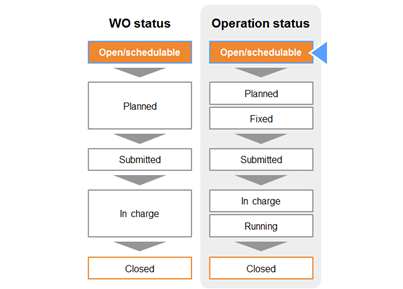
Pre-Scheduling
-
Open: The operation requires validation by the planner before you can schedule it to a resource.
-
Schedulable: The operation is available for scheduling.
For some WO types, the system sets the creation status (open or schedulable) automatically, eliminating the need for manual validation.
Scheduling and Assignment
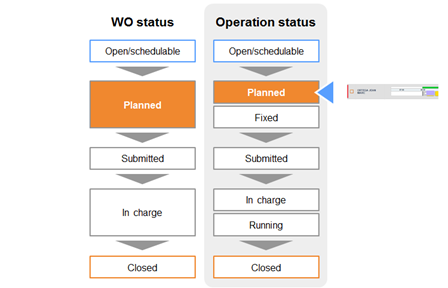
When you assign the operation to a resource, its status updates.
-
Scheduled: The operation is assigned to a resource on the daily plan but still needs validation before forwarding to the mobile device.
-
Fixed: The planner has validated the scheduling.
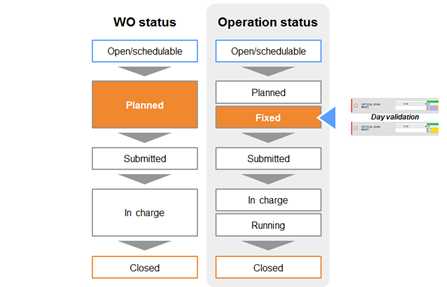
To complete the scheduling process, the planner must validate the operation. You can do this in the daily plan using one of these methods:
-
Validate the whole day for a single resource.
-
Validate the whole day for the entire operations center.
Execution
Statuses update as the field technician interacts with the operation on their mobile device.
-
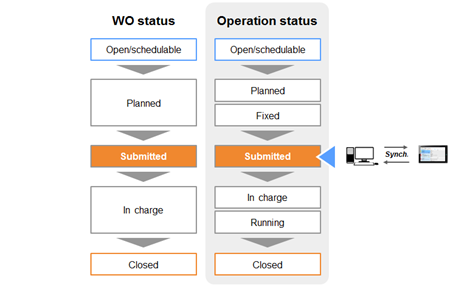
Submitted: The operation status updates when the synchronization from the mobile device is completed.
-
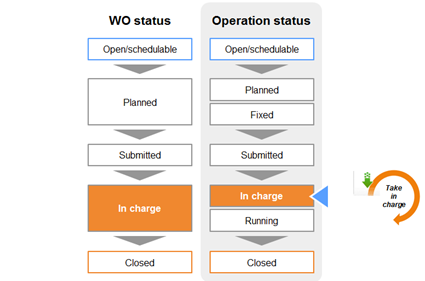
In charge: The field technician takes charge of the operation from their mobile device.
-
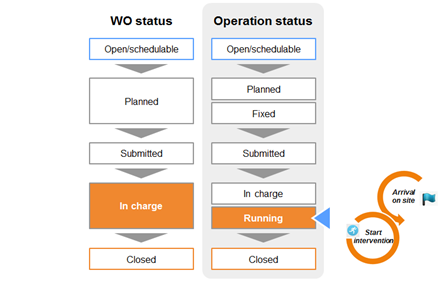
Running: The field technician reports their arrival on site and starts the intervention.
Completion
When the field technician finalizes the activity, the status updates based on the outcome.
-
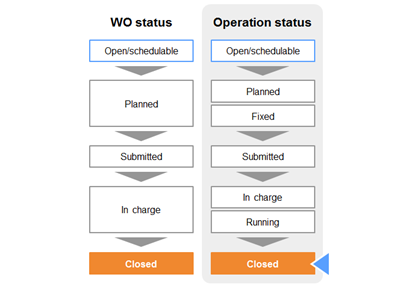
Closed: The activity was completed successfully and a final outcome (for example, meter replaced) is registered.
-
To reschedule: The activity was not completed successfully (partial outcome).
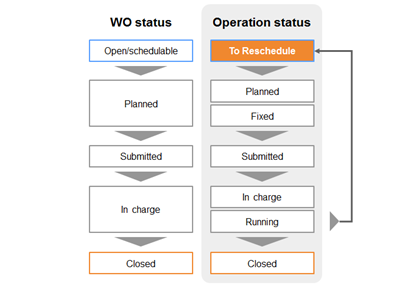
If an operation with a to reschedule status is later assigned to a resource, it first upgrades to the scheduled status and then follows the same subsequent statuses (fixed, submitted, etc.) until it is closed.
Other operation statuses
These statuses are exceptions to the normal flow, typically set by the planner.
-
Blocked: The operation is temporarily unavailable.
-
Canceled: The operation should not be performed.
Work Order Statuses
The overall WO status is determined by the combined status values of all its operations and their accounting results.
|
WO status |
Condition |
|---|---|
|
Technically closed |
All operations are successfully accounted for. |
|
Closed |
The order is finalized after being technically closed. |
|
Partially accounted |
The WO includes different operations, and either:
|
|
To reschedule |
The WO has only one operation, and it is only partially accounted for (resulting in a to reschedule or schedulable status). |