
A user manual empowers users to learn and use the system effectively. It promotes independent learning, improves user experience, and fosters efficient use of the platform's capabilities.
It can be manually configured by the user.
Only Configurator group can access to this configuration
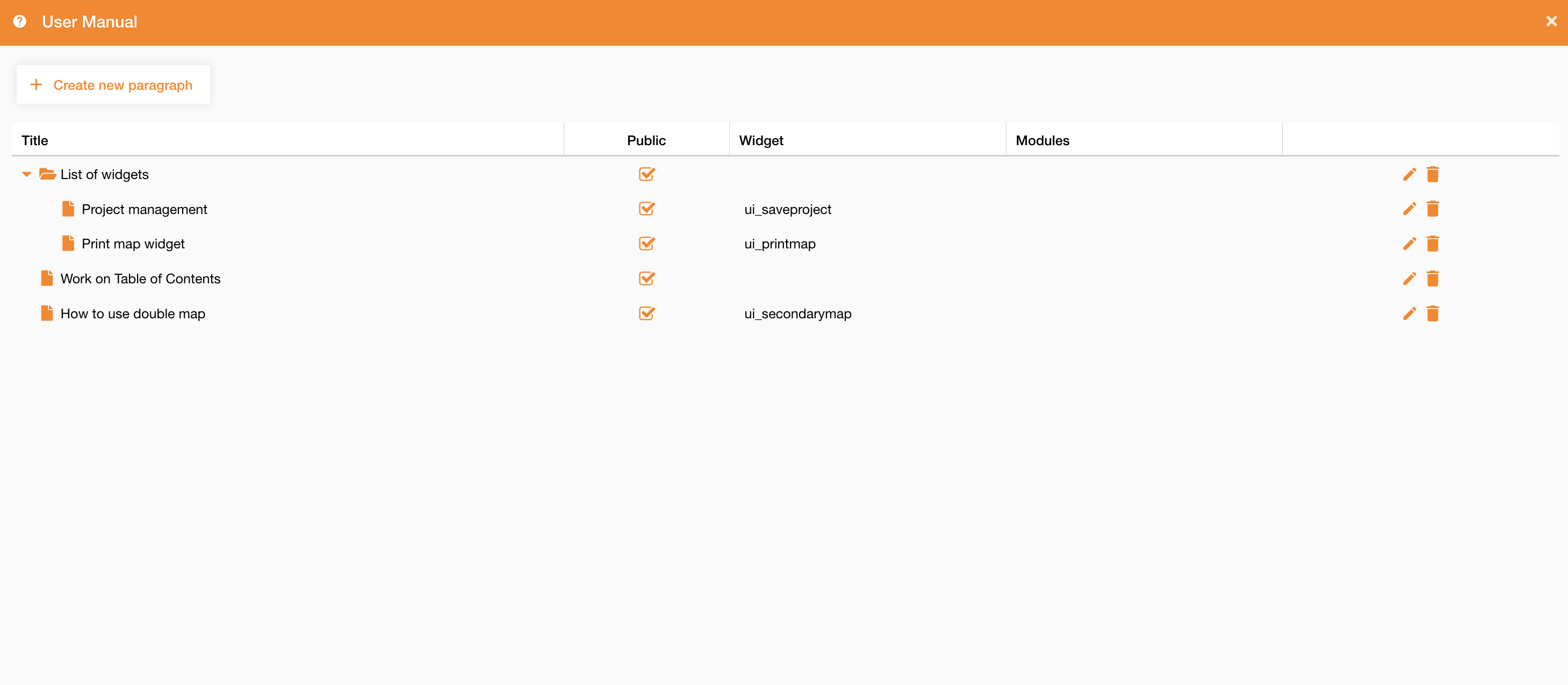
Accessing to Control Panel > User Profiles > User Manual tab, the view shows all created paragraphs and it allows to create a new one clicking the “Create new paragraph” button.
|
|
|
Figure 1 - User Manual view |
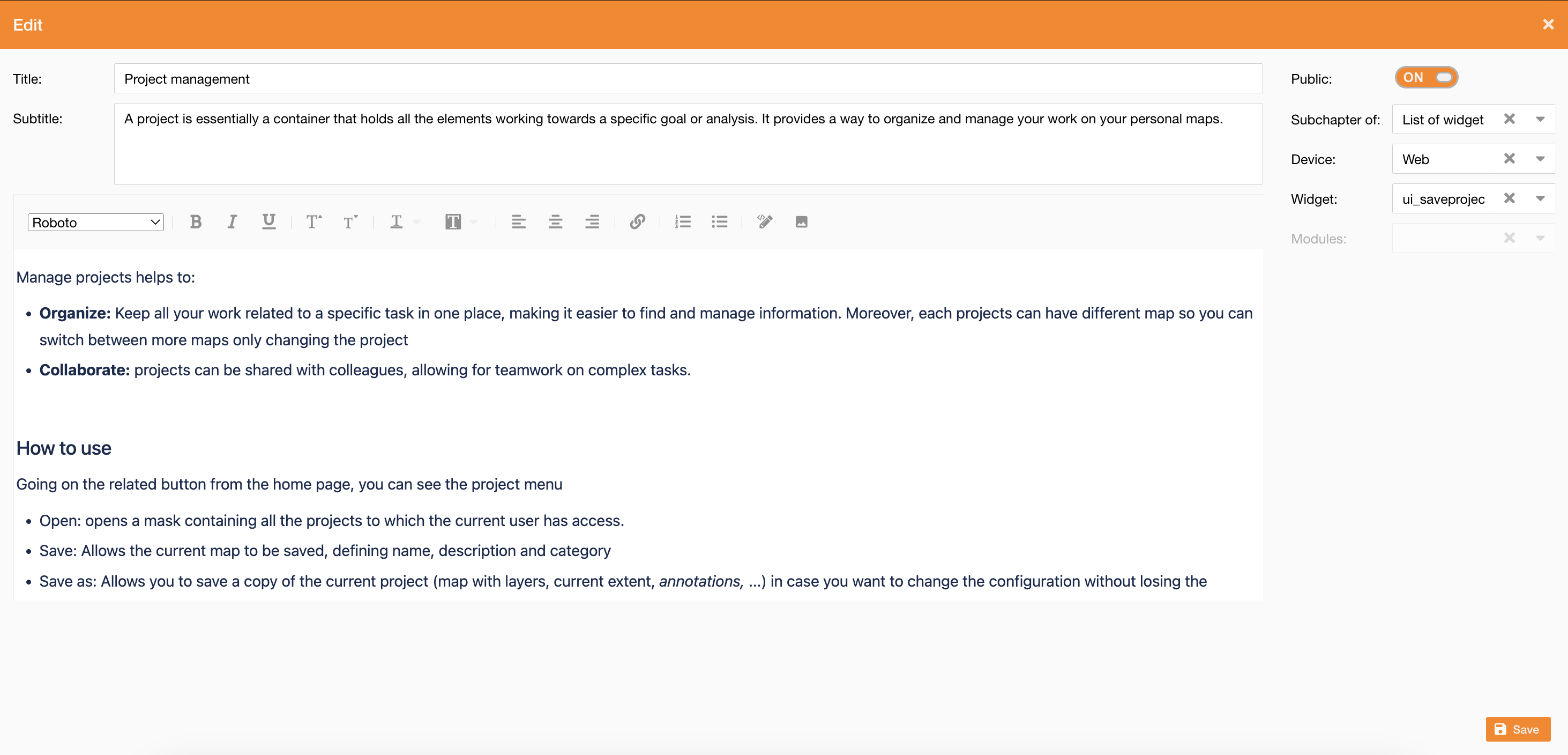
To create a new paragraph you access to an editor panel, where you can define paragraph style and properties:
-
Public: if true, the paragraph is visible to everyone
-
Subchapter of: if filled, you can create a tree of manual’s page
-
Device: it can be web or mobile
-
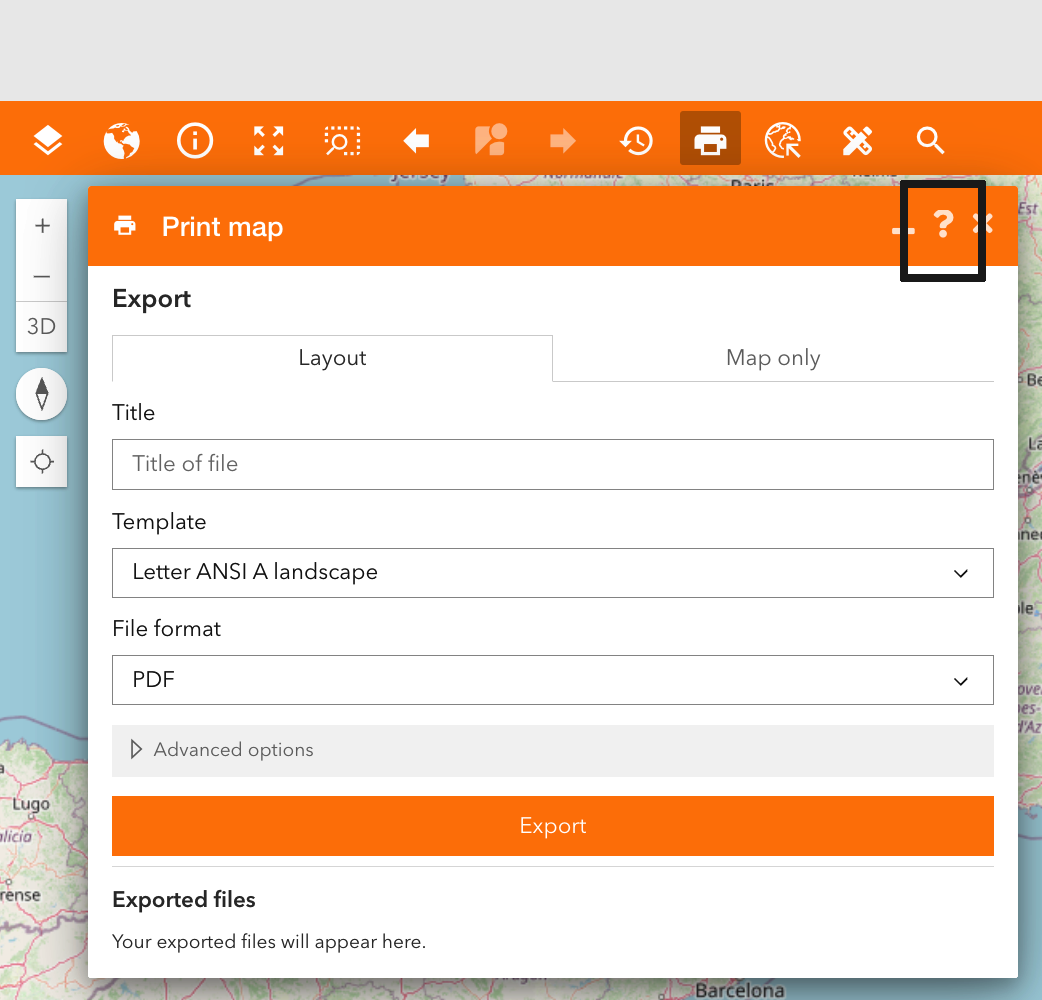
Widget: if the manual is related to a widget, you can define here which widget, and access to the manual when you are using the widget (see the image below)
|
|---|
-
Modules: if the manual is related to a module, you can define here which module
|
|---|
|
Figure 2 - User Manual creation |
You can access to user manual through the user manual widget: User Manual content