
The Message Center is used to send general notification to a group of users, i.e. related to the expiration of license or a warning about a maintenance activity.
It can be customized setting the activation range time, the text message and on which users' groups or modules enable it.
Only Configurator group can access to this configuration
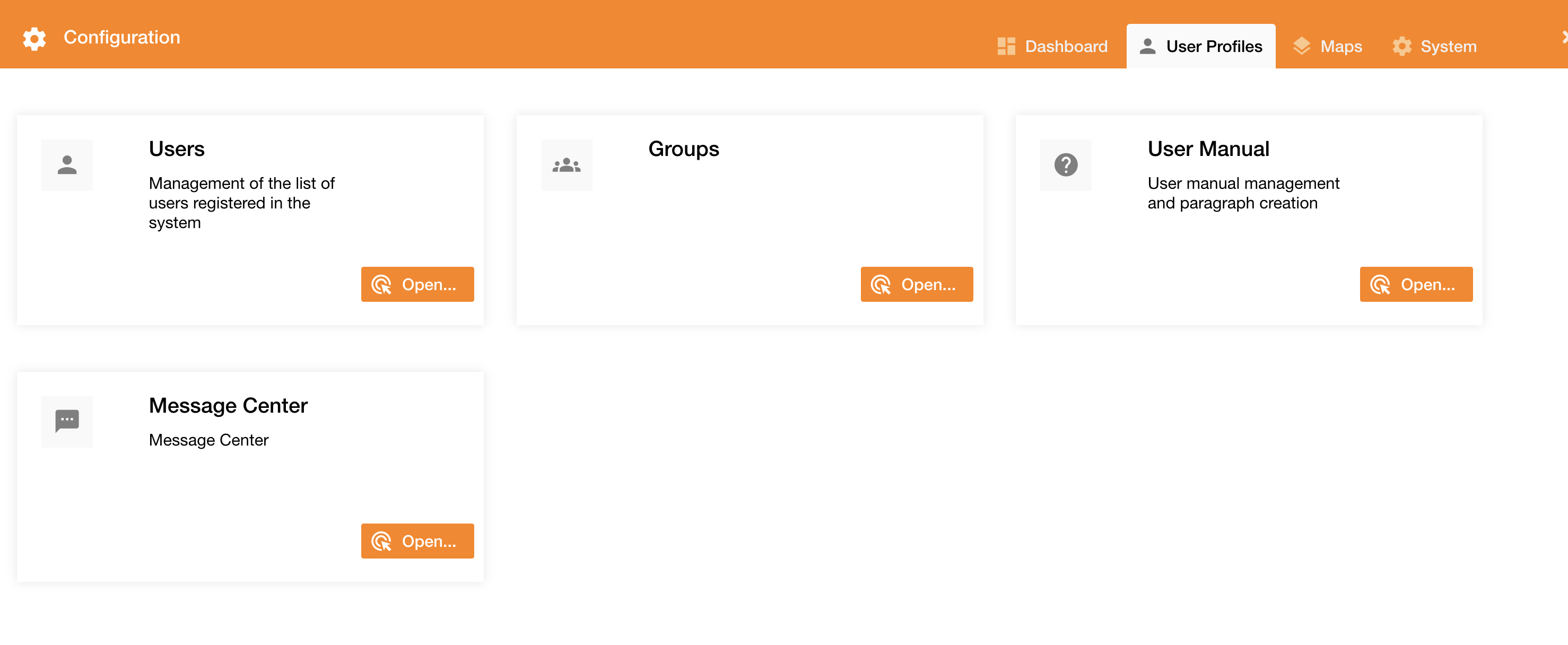
Accessing to Control Panel > User Profiles tab, the view contains more tabs regarding the user configuration and management.
|
|
Figure 1 - User Profiles |
The “Message Center” tab is used to configure notifications.
|
|
|
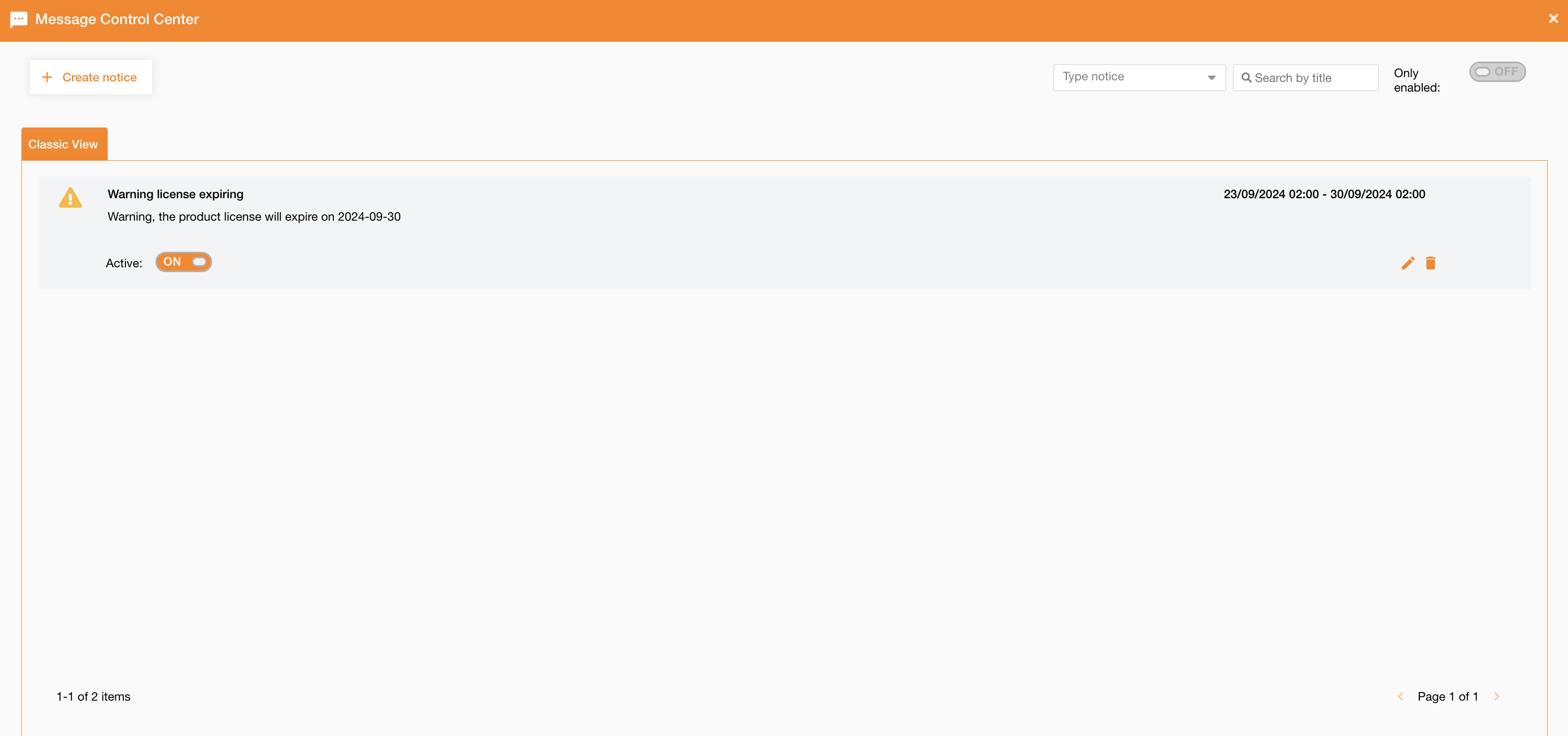
Figure 2 - Message configuration |
The view shows the list of existing notifications.
At the top-right of the page there is a search field to search notifications by their title, and a toggle button to filter only enabled notifications.
For each notification it’s possibile to perform these operations:
-
enable/disable: using the toogle button
-
deletion: using the bin icon
-
editing: using the pencil icon
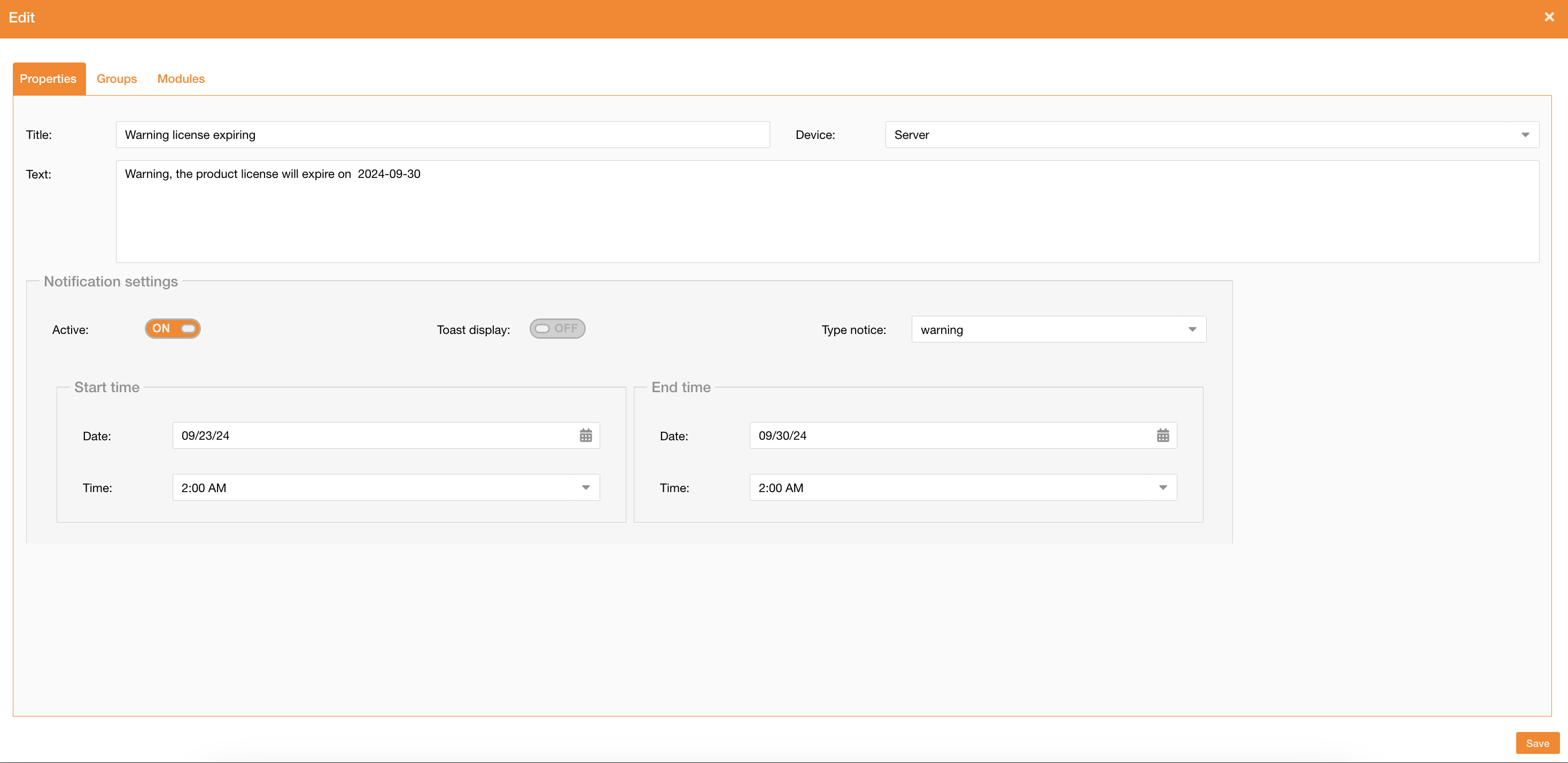
To create a new notification, you can click the “Create notice” button, and define these properties:
|
Field |
Description |
|---|---|
|
Title |
Notification title |
|
Text |
Notification text |
|
Device |
Server, Mobile |
|
Active |
If true, the notification is active |
|
Toast display |
If true, the notification is showed with a toast message |
|
Type notice |
Default, success, error, warning, info |
|
Start time |
Configure date and time to define the start time to display the notification |
|
End time |
Configure date and time to define the end time to display the notification |
|
|
|
Figure 3 - Notification details |
Going on the Groups tab, it is possibile to assign one or more functional groups to the selected notification.
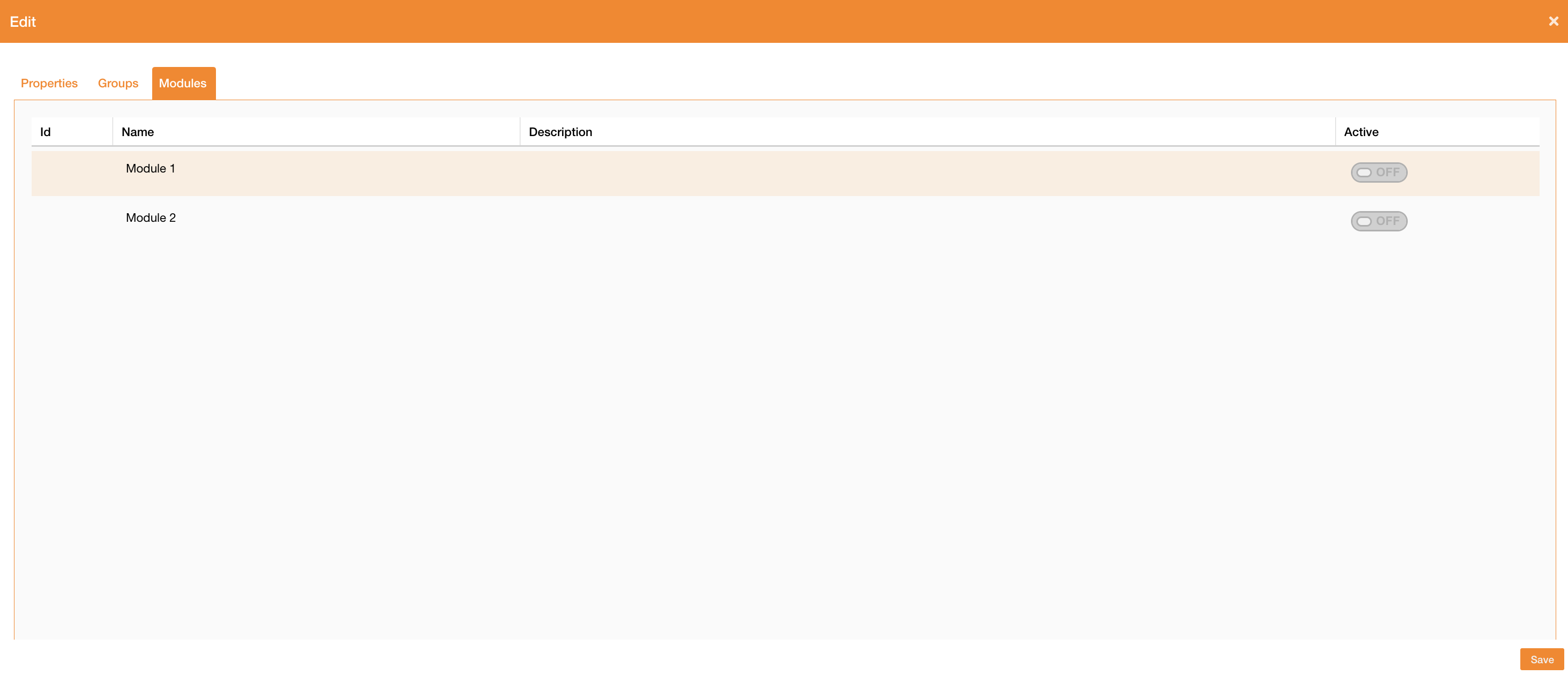
Going on the Module tab, it is possibile to assign one or more module to the notification.
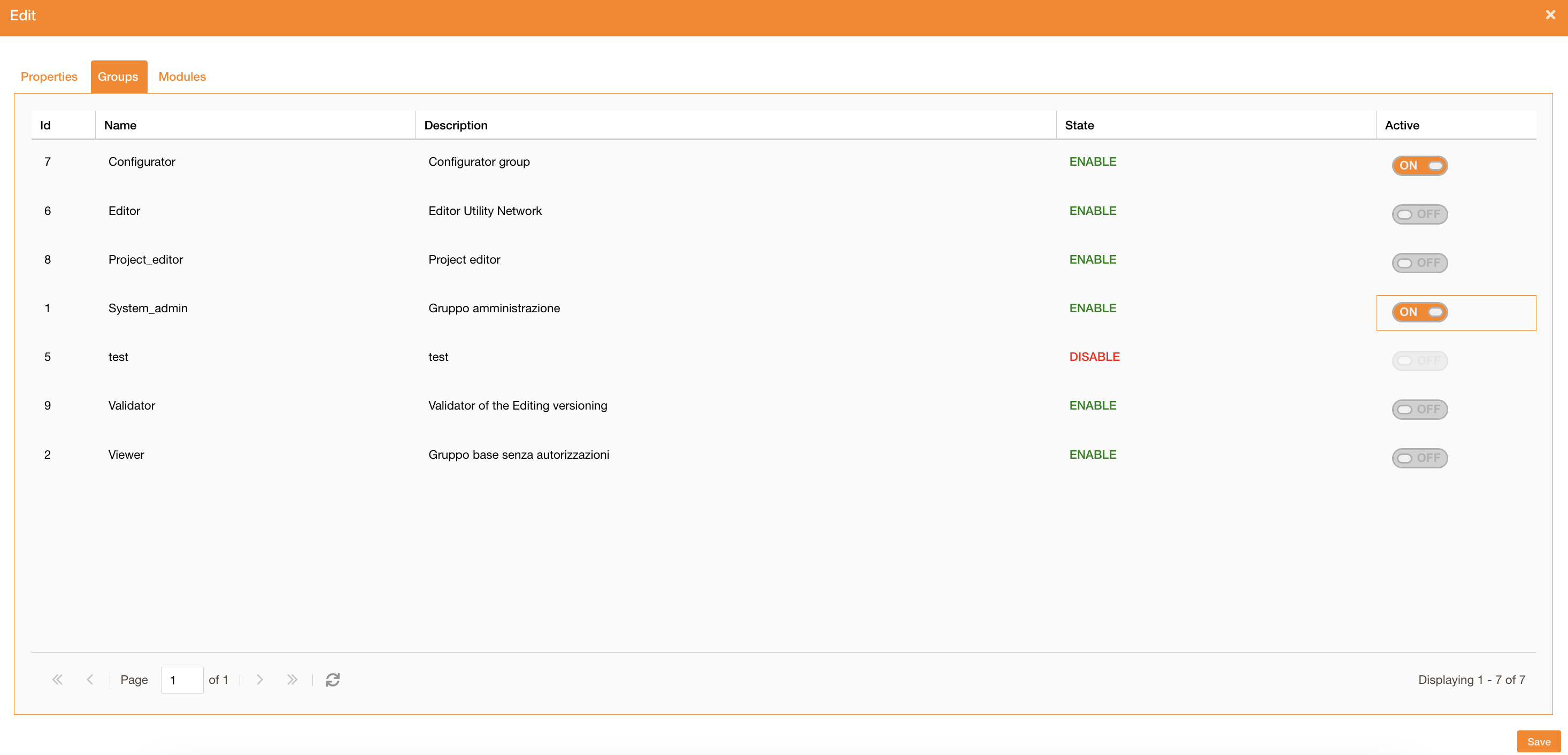
Group permissions
Module permissions